n8n vs Custom Code: Which Should Your Business Automate With?
n8n or custom code for business automation? n8n's pricing, what drives the cost of a custom build, where each breaks down, and when combining them makes sense.

On this page
In the n8n vs custom code question, use n8n when the job is moving data between tools you already pay for, and use custom code when the automation is part of your product, handles money, or has to scale and be tested like software. The answer is often both.
Below you will find what n8n costs, what drives the cost of a custom build, where each option breaks down, and how to decide before you spend money.
What is the difference between n8n and custom code?#
n8n is a workflow tool. You build automations by connecting visual blocks: a trigger (a form, a webhook, a schedule), then steps that talk to your CRM, Slack, spreadsheets or an AI model. You can use n8n's hosted cloud or run it yourself on your own server.
Custom code is software written for your exact process. It is slower to start, but nothing limits what it can do, and it lives in a code repository with tests and version history.
n8n's own team describes the split this way: recurring, mostly predictable processes that connect existing systems are a good fit, while building "an app with a UI, a product" is not, because "n8n was never meant to be an app framework."
When is n8n the better choice?#
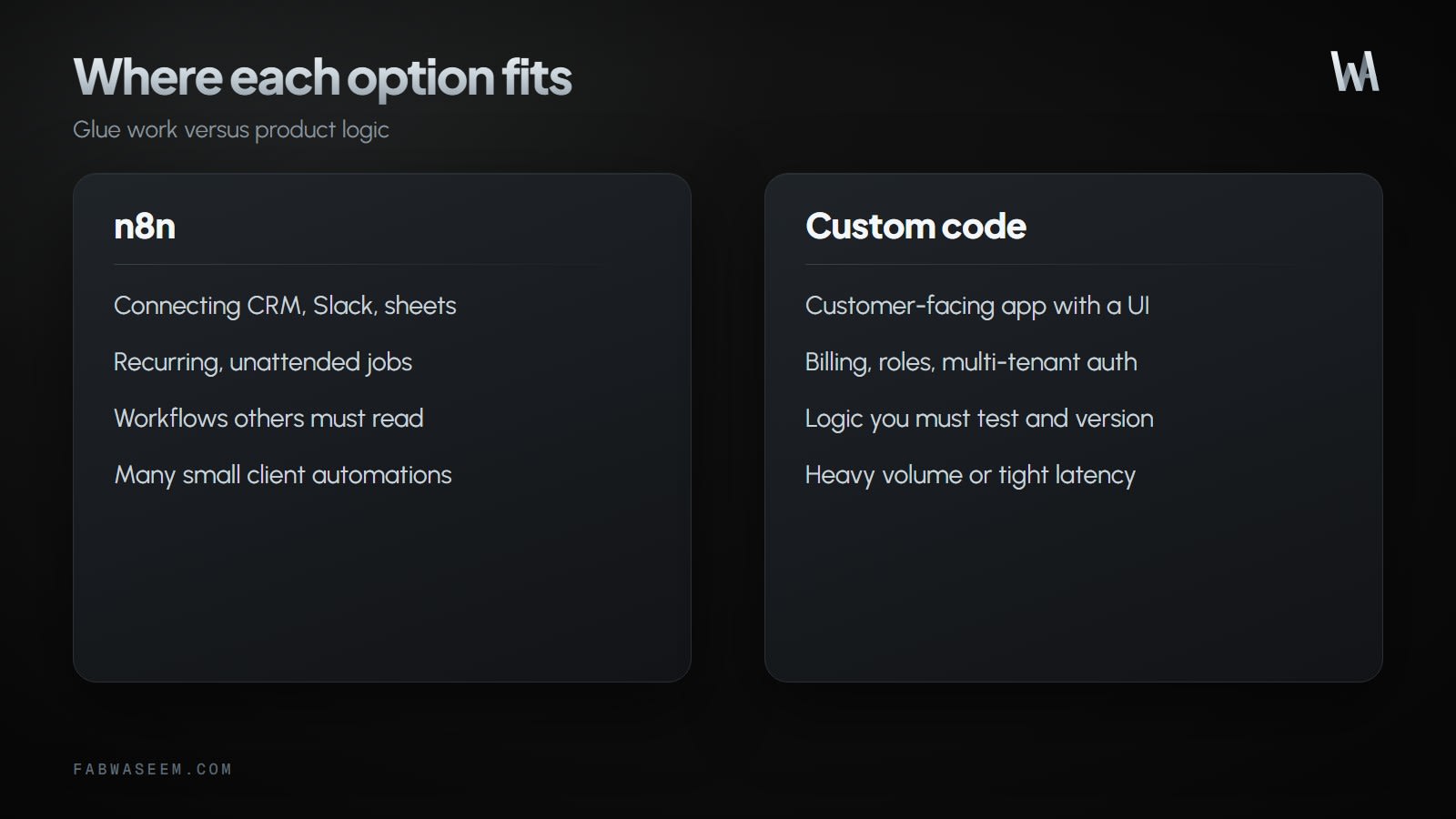
n8n is usually the right first move when most of these are true:
- The work is glue: a new form submission creates a CRM contact, posts to Slack and adds a row to a sheet.
- The process runs on its own, on a schedule or trigger, with no one watching.
- Handovers matter. n8n's blog argues a visual workflow can be read by somebody who could never have written the code version.
- You run many small automations, for example an agency managing automations for several clients, and want one place with logs, retries and reruns.
- A mistake is cheap. For low-stakes work, speed matters more than polish.
n8n is also easy to put an AI step into. A support inbox can classify messages with an AI model while the routing around it stays predictable and visible.
What does n8n actually cost?#
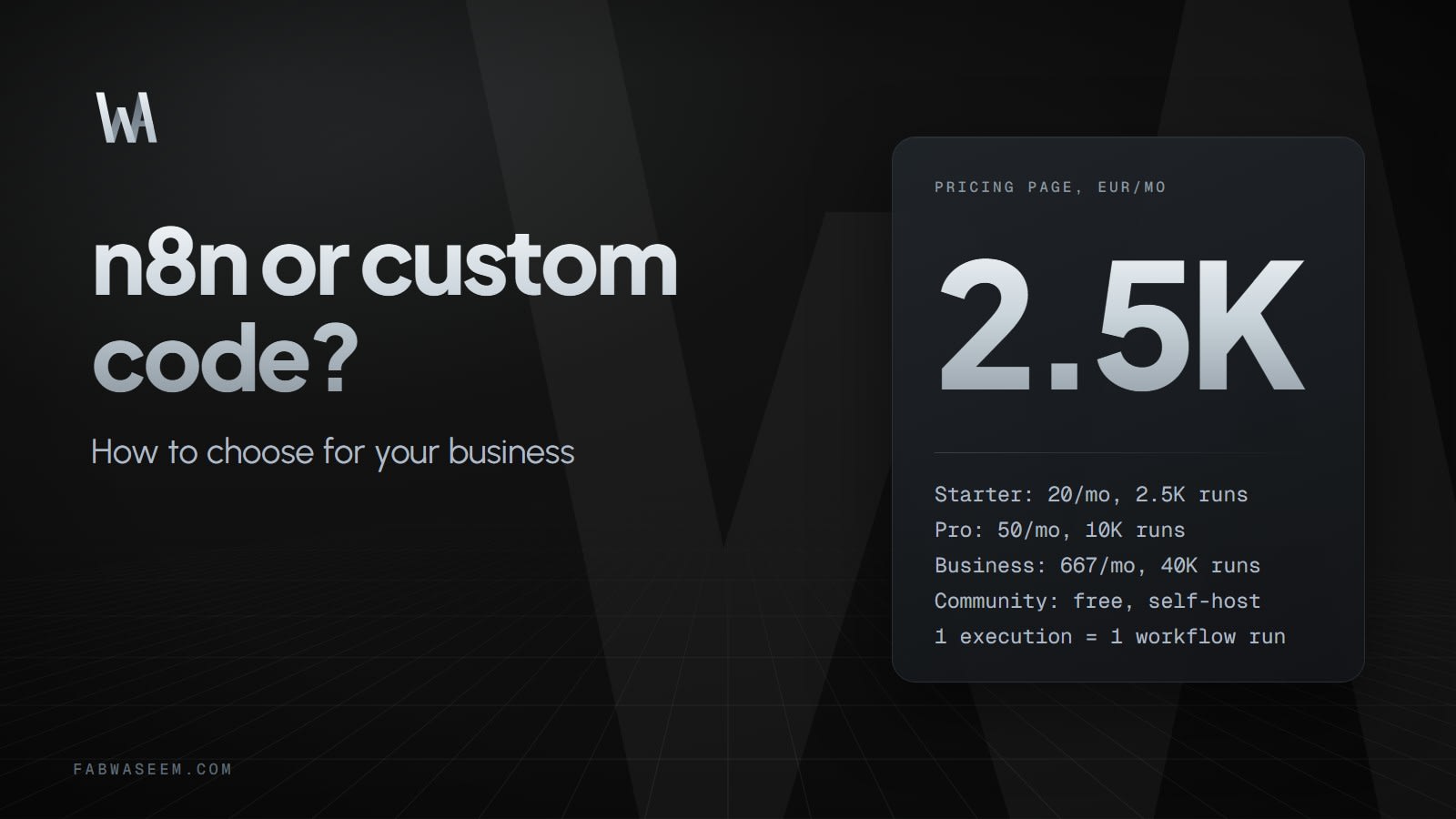
As of November 2026, n8n's pricing page lists these plans, all quoted in euros and billed annually:
An execution is "a single run of your entire workflow", and the number of steps inside it does not change the count, according to the same page. So a workflow with 30 steps that runs once is one execution.
Two things the price does not include: your time to build and maintain the workflows, and the server and monitoring if you self-host. Self-hosting suits you only if someone can keep it patched, backed up and running.
What does custom code cost?#
Custom code has no plan fee, but you pay for the build up front and for maintenance afterwards. The main cost drivers are the number of systems to connect, how complex your rules are, how much testing the process needs, where it is hosted, and who maintains it over time. Because those vary so much, ask any developer for a fixed scope and a written quote rather than an hourly guess. The fair comparison is the tool price plus the time to build and maintain workflows on one side, against the build and upkeep of the coded system on the other.
When does custom code win?#
In his article "Time to move on: n8n vs code for SaaS builders" (3 November 2025), developer Anthony Sidashin, who says he has built a lot with n8n himself, lists the points where he sees the tool become a ceiling once a business starts selling software on top of it:
- Real user experience. Dashboards, onboarding, sessions and roles are awkward in a workflow tool.
- Payments. Subscriptions, retries, proration and idempotency are fragile. He says the Stripe node plus a webhook "works for MVPs, not for a real SaaS with thousands of transactions."
- Licensing. He reads n8n's Sustainable Use License as covering internal business use, and says that selling a product whose value comes substantially from n8n needs a commercial agreement. Check n8n's current license terms before you build on it.
- Version control. Reviewing changes to exported workflow JSON is painful compared with code.
- Scale and observability. At high volume you move to n8n's queue mode with Redis and several workers, and you add your own monitoring.
For a business owner, translate that into plain questions. Will customers log in to this? Does it move money? Is it the thing you sell? Does a wrong result cost you real money or trust? Any "yes" points toward code, or at least toward code for that part.
The same applies to reliability. Code lets you add proper queues, retries and dead-letter handling, as covered in the BullMQ retries and dead-letter queue guide.
Can you combine n8n and custom code?#
Yes. n8n's own post says the answer is often both: fixed rules run in the workflow, with AI at the points that need judgment. Sidashin goes a step further and recommends keeping n8n for internal automation and glue while building product logic, billing and multi-tenant auth in code. A small coded service called from a workflow is a practical way to do that.
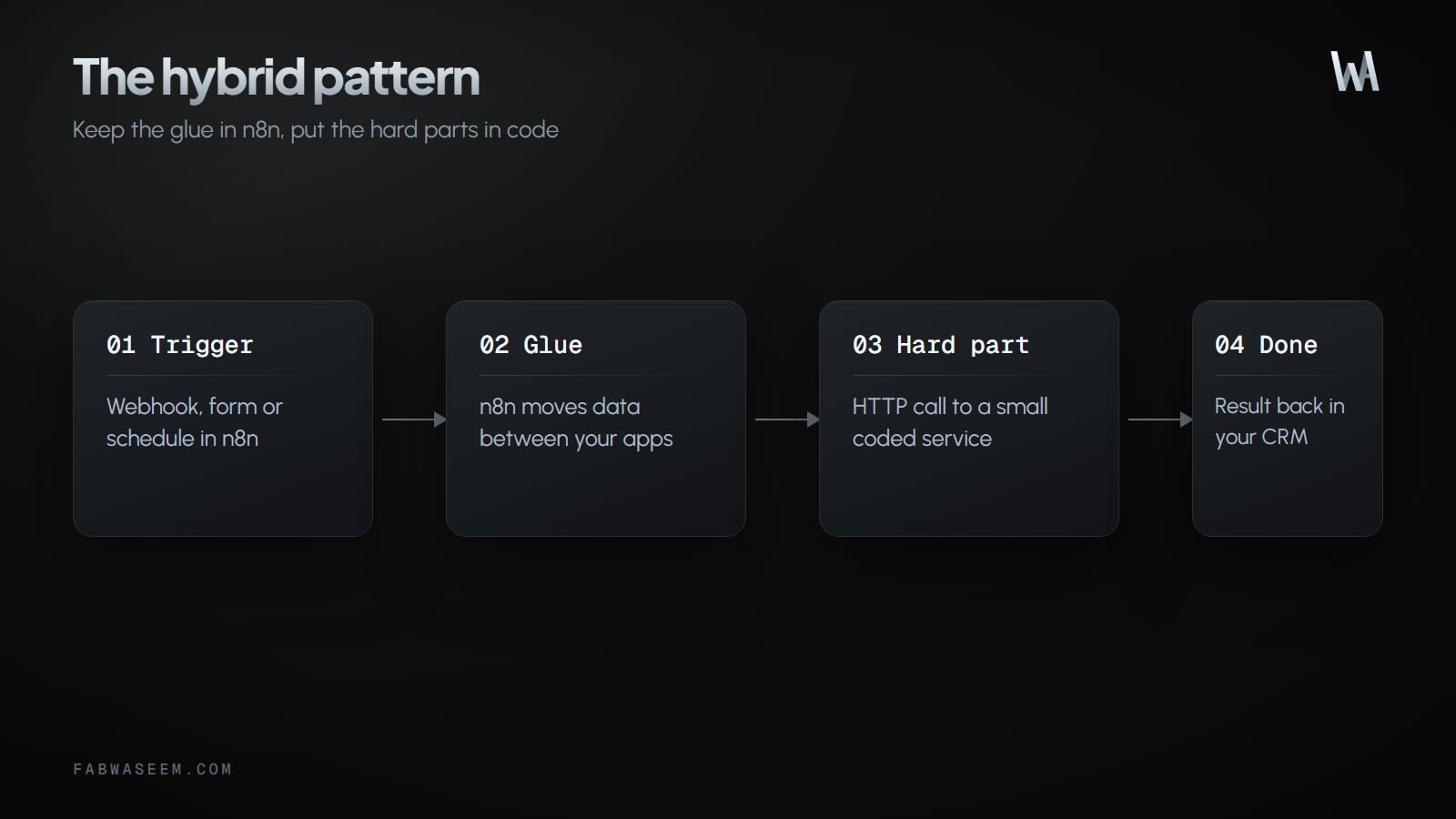
A typical split for a small business looks like this:
- n8n receives the lead from your website form.
- n8n calls a small coded service that scores or validates the lead against your rules.
- n8n writes the result to your CRM and notifies your team.
You keep the quick editing of a workflow tool, and the rules that matter live in tested code. The same idea applies to AI agents, where a person approves risky actions: see human approval for AI tool calls.
What does this look like for your business?#
Use this as a quick filter:
- Start with n8n if you want to connect existing tools, test an idea this month, or automate internal admin. Budget the plan price plus someone's time to maintain it.
- Go custom if the automation is customer-facing, handles payments, needs complex rules, or must work reliably at high volume. Ask for a fixed scope and quote, because the cost depends on what you need.
- Go hybrid if you have both kinds of work: n8n for the plumbing, code for the rules that must be exact.
For a worked example of costs in a customer-facing setup, read what a WhatsApp AI chatbot costs a business.
If you would like help choosing, or want a build that mixes both approaches, see the AI automation service or the WhatsApp and Shopify automation service.
Key takeaways#
- Use n8n for glue between your existing tools and recurring unattended jobs.
- Use custom code when the automation is a product, handles money or needs tests and version control.
- n8n plans count one execution per workflow run, whatever the number of steps.
- Selling a product built substantially on n8n likely needs a commercial agreement, so check the current license terms first.
- The answer is often both: n8n for plumbing, custom code for the rules that must be exact.
Sources: n8n pricing, n8n: Claude Code or n8n?, Pixeljets: n8n vs code for SaaS builders, n8n queue mode docs.
Questions
Share this guide
Comments
No comments yet. Questions, corrections and your own results are all welcome.
Be kind and stay on topic. No name needed: leave it blank and you post under an anonymous name that stays yours. Links get
nofollow; spam is removed. Your email is never shown and is only used for reply notifications you ask for. Privacy