BullMQ Retry Failed Jobs: Backoff, Jitter and Dead-Letter Queues
How to retry failed jobs in BullMQ with attempts, fixed or exponential backoff and jitter, stop retrying permanent errors, and build a dead-letter queue you can replay.

On this page
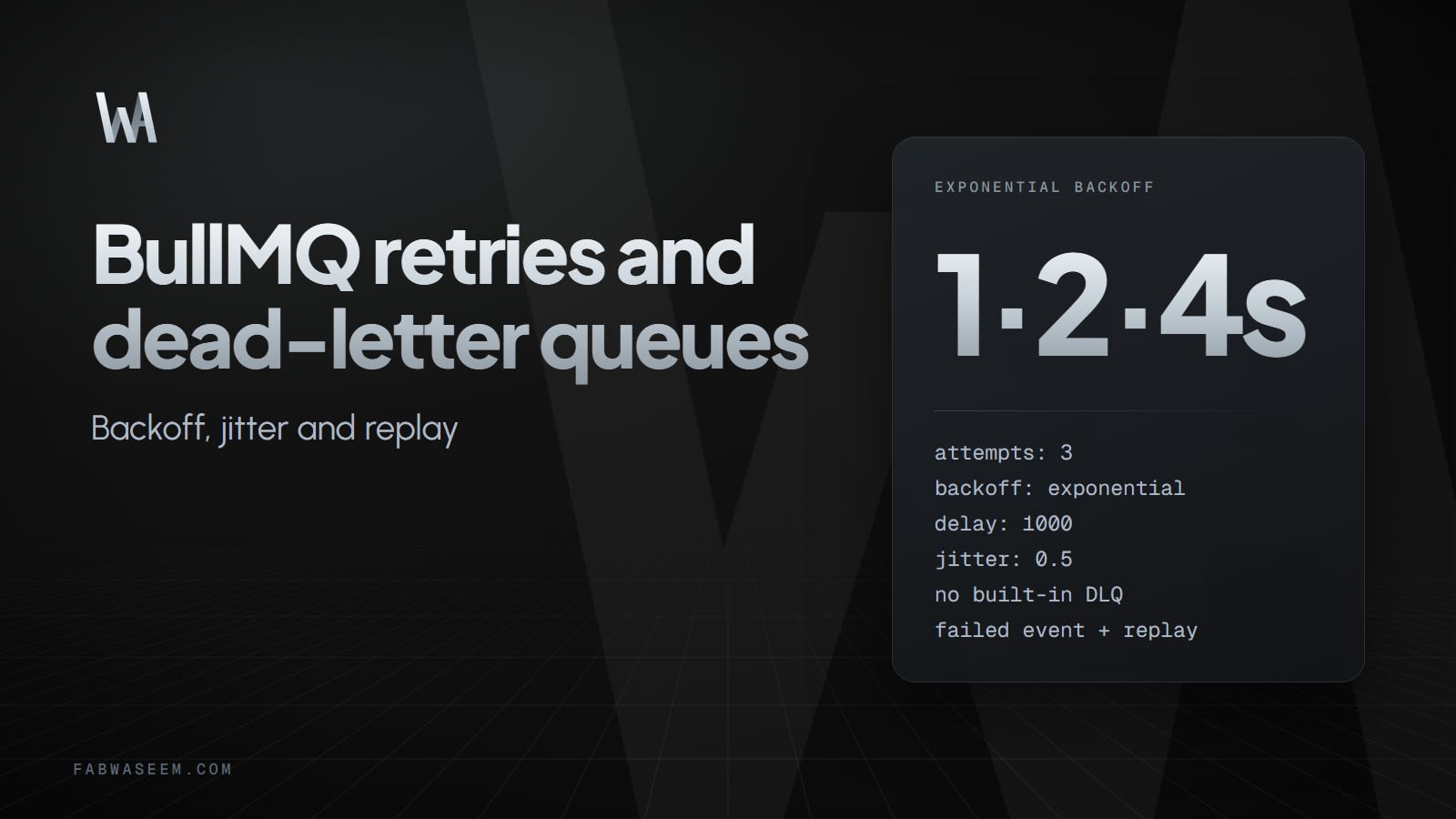
To retry failed jobs in BullMQ, set attempts above 1 and add a backoff option on the job or in the queue's defaultJobOptions. BullMQ then re-queues a job that throws, waiting 2 ^ (attempts - 1) * delay milliseconds between tries when you choose exponential backoff. BullMQ has no built-in dead-letter queue, so jobs that run out of attempts stay in the failed set unless you copy them to a second queue yourself. This guide covers both halves, plus the cases where you should stop retrying at once.
How do you retry failed jobs in BullMQ?#
A job is retried only when attempts is greater than 1. Without it, a failed job goes straight to the failed set. Without a backoff, BullMQ retries immediately, which can hammer an API that is already down. According to the BullMQ retry docs, a job fails when the processor throws or when the job stalls and uses up the maximum stalled count.
import { Queue } from "bullmq"

const queue = new Queue("emails", { connection })

await queue.add(
  "send-welcome",
  { userId: 42 },
  {
    attempts: 3,
    backoff: { type: "fixed", delay: 1000 },
  },
)
Retried jobs keep their priority when they return to the waiting state.
Fixed, exponential or custom: which backoff should you use?#
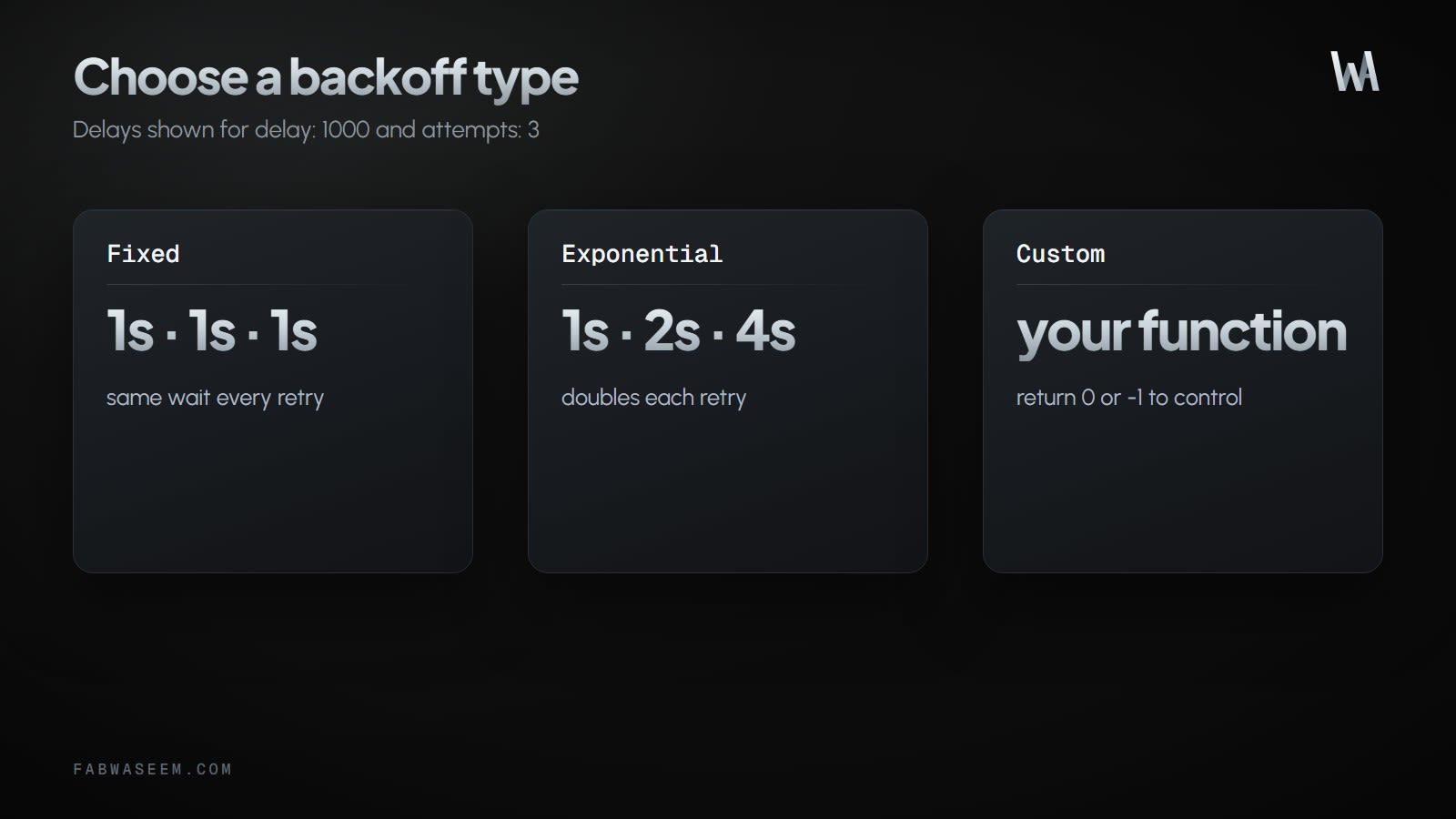
BullMQ ships two built-in backoff types and lets you write your own.
With delay: 1000, exponential backoff makes successive retries wait 1s, 2s and 4s. Exponential is the safe default for anything that talks to an external service, because each retry gives the dependency more time to recover.
How does jitter help retries?#
If a hundred jobs fail at the same moment, a plain exponential schedule retries all hundred at the same moment again. The jitter option, a number between 0 and 1, randomizes the delay so retries spread out. The docs show it on an exponential backoff like this:
await queue.add("sync-order", payload, {
  attempts: 8,
  backoff: { type: "exponential", delay: 3000, jitter: 0.5 },
})
How do you set retry defaults once on the queue?#
Repeating the options on every add call is easy to forget. Put them in defaultJobOptions and override them per job only when needed:
const queue = new Queue("emails", {
  connection,
  defaultJobOptions: {
    attempts: 3,
    backoff: { type: "exponential", delay: 1000 },
  },
})
How do you write a custom backoff strategy?#
For custom rules, define backoffStrategy in the worker's settings and mark the job with backoff: { type: "custom" }:
const worker = new Worker("emails", processor, {
  connection,
  settings: {
    backoffStrategy: (attemptsMade: number) => attemptsMade * 1000,
  },
})
The returned number is the delay in milliseconds. Returning 0 requeues the job immediately (to the end of the waiting list if it has no priority), and returning -1 stops retrying and moves the job to the failed state. When you register several custom types, the callback also receives type, the error and the job, so you can switch on them.
When should a job not be retried?#
Some failures never fix themselves: a malformed payload, a deleted user, a 400 response from an API. Retrying them wastes time and fills your logs. Throw UnrecoverableError from the processor and BullMQ moves the job to the failed set without any retries, as the stop-retrying pattern describes:
import { Worker, UnrecoverableError } from "bullmq"

const worker = new Worker(
  "emails",
  async (job) => {
    const user = await getUser(job.data.userId)
    if (!user) throw new UnrecoverableError("user no longer exists")
    await sendEmail(user)
  },
  { connection },
)
Classify errors in one place: transient ones (timeouts, 429, 503) throw normally and get retried, permanent ones (400, 404, validation) throw UnrecoverableError. This pairs well with the idempotent handlers covered in handling Stripe webhooks in Next.js, since a retried job may run its side effects again.
How do you build a dead-letter queue in BullMQ?#
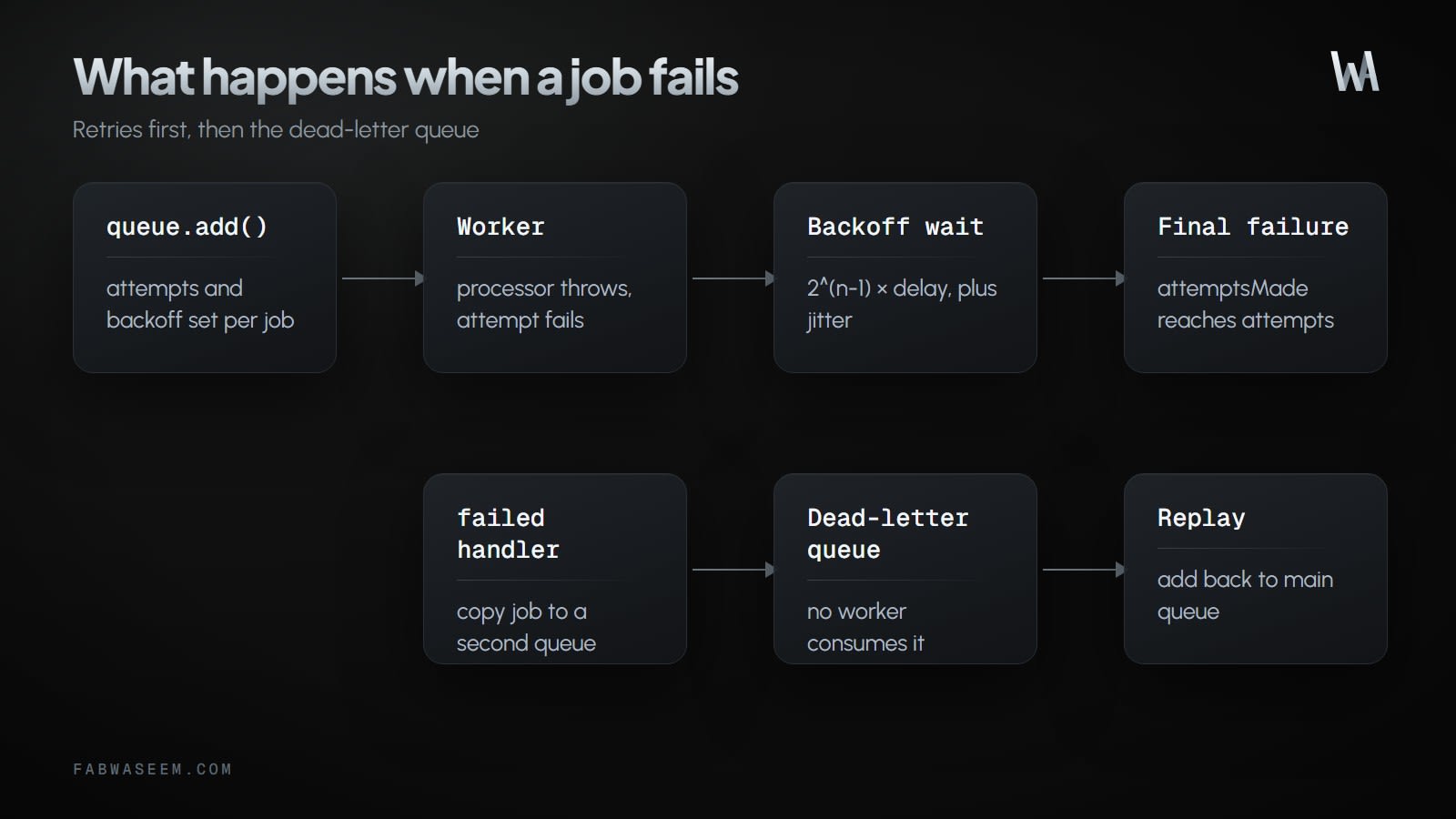
BullMQ has no built-in dead-letter queue. The pattern in Railway's BullMQ guide is to listen for the worker's failed event and copy exhausted jobs into a second queue that no worker consumes. The event fires on every failed attempt, so compare attemptsMade with the configured attempts and only move final failures. Add a check for UnrecoverableError too, because those jobs fail before using every attempt:
import { Queue, UnrecoverableError } from "bullmq"

const deadLetterQueue = new Queue("emails-dlq", { connection })

worker.on("failed", async (job, err) => {
  if (!job) return
  const maxAttempts = job.opts.attempts ?? 1
  const exhausted = job.attemptsMade >= maxAttempts
  if (exhausted || err instanceof UnrecoverableError) {
    await deadLetterQueue.add(job.name, job.data, {
      jobId: `dlq-${job.id}`,
      removeOnComplete: false,
    })
  }
})
The fixed jobId makes the copy idempotent, so a repeated event cannot create two dead-letter entries for one job. Jobs that a custom strategy fails early by returning -1 also skip the attempts check, so handle them the same way if you use that option.
How do you replay dead-lettered jobs?#
The dead-letter queue is an ordinary queue, so replaying means adding each job back to the main queue and removing it from the dead-letter queue. Run it as a script after you fix the bug that caused the failures:
const dlq = new Queue("emails-dlq", { connection })
const mainQueue = new Queue("emails", { connection })

const jobs = await dlq.getJobs(["waiting", "delayed", "failed"])
for (const job of jobs) {
  await mainQueue.add(job.name, job.data)
  await job.remove()
}
Replayed jobs get the main queue's default options, because only the name and data are copied. Pass job.opts as well if your jobs carry custom settings.
How do you stop failed jobs from filling Redis?#
By default, BullMQ keeps finished jobs in the completed and failed sets. Configure removeOnComplete and removeOnFail on the job options to limit that. The auto-removal docs show a count (removeOnComplete: 1000) and an age-plus-count form ({ age: 3600, count: 1000 }), and note that removal works lazily. A reasonable setup keeps completed jobs for an hour and failed jobs for a day, so you can still inspect recent failures:
defaultJobOptions: {
  attempts: 3,
  backoff: { type: "exponential", delay: 1000 },
  removeOnComplete: { age: 3600, count: 1000 },
  removeOnFail: { age: 24 * 3600 },
}
Because the dead-letter copy lives in its own queue, you can expire the original failed job quickly without losing the payload.
How do you shut a worker down without losing jobs?#
Call await worker.close() when your process receives SIGTERM. In the TypeScript SDK it waits for active jobs to finish and has no built-in timeout, according to the graceful shutdown docs. If the process ends before an active job finishes, another worker can recover the job as stalled. Make sure your platform gives the container enough time between SIGTERM and SIGKILL.
async function shutdown() {
  await worker.close()
  await deadLetterQueue.close()
  process.exit(0)
}
process.on("SIGTERM", shutdown)
process.on("SIGINT", shutdown)
For a full worker setup, see an AI automation pipeline with Node.js and BullMQ. If you are still choosing a queue, pg-boss vs BullMQ compares the two.
Key takeaways#
- Set
attemptsabove 1 and add abackoff; without it BullMQ retries immediately. - Use exponential backoff with
jitterfor external APIs so retries spread out. - Put retry options in
defaultJobOptionsonce instead of repeating them on every job. - Throw
UnrecoverableErrorfor permanent failures so they skip retries. - BullMQ has no built-in dead-letter queue: copy final failures from the
failedevent to a second queue and replay from there. - Limit Redis growth with
removeOnCompleteandremoveOnFail, and callworker.close()onSIGTERM.
Questions
Share this guide

Comments
No comments yet. Questions, corrections and your own results are all welcome.
Be kind and stay on topic. No name needed: leave it blank and you post under an anonymous name that stays yours. Links get
nofollow; spam is removed. Your email is never shown and is only used for reply notifications you ask for. Privacy