Stripe Webhook Next.js: Verify Signatures, Dedupe, Queue
Build a Stripe webhook handler in Next.js App Router that verifies the signature on the raw body, ignores duplicate events and pushes the real work to a BullMQ queue.

On this page
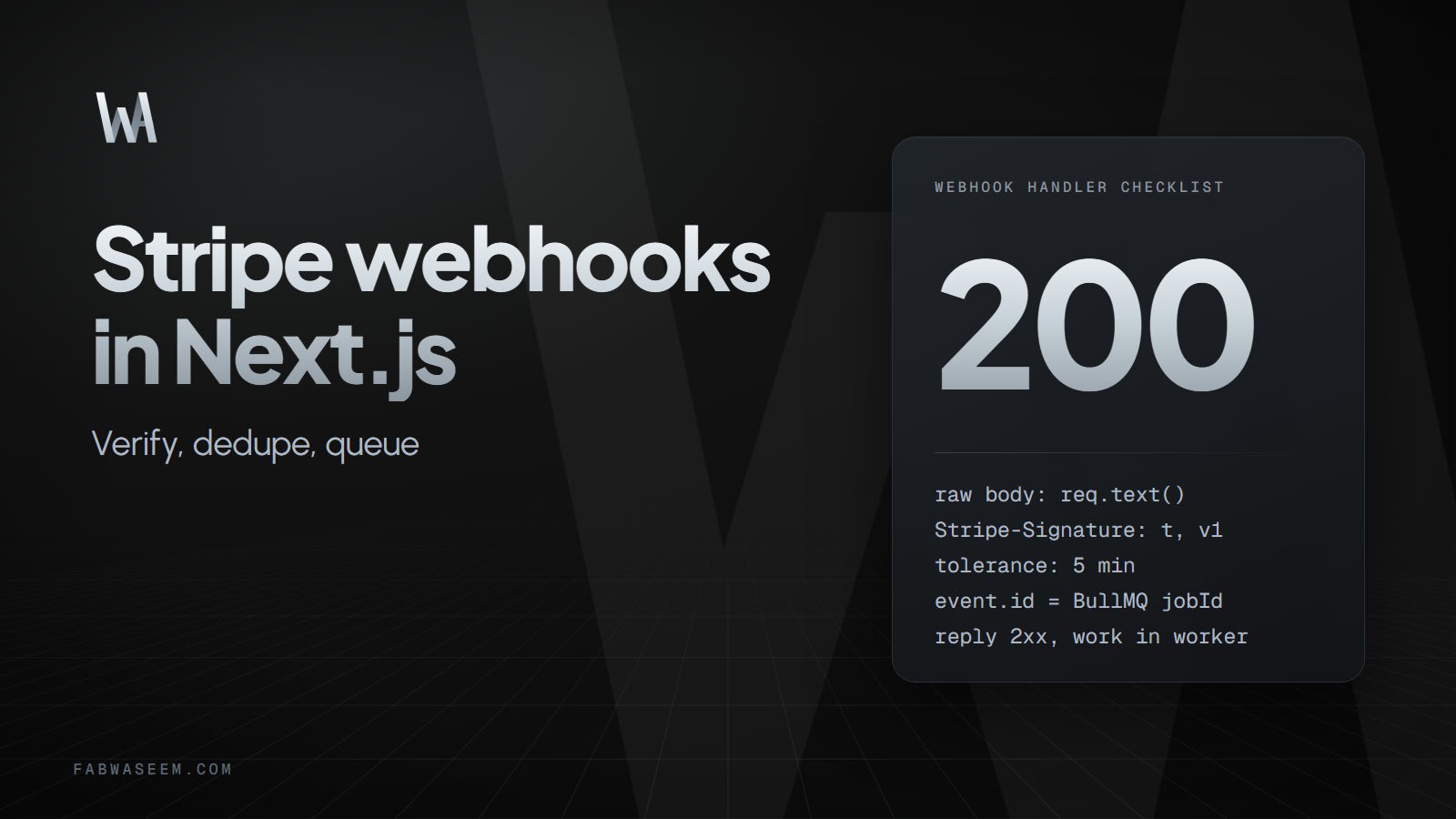
A reliable Stripe webhook in Next.js does four things in order: read the raw request body, verify the Stripe-Signature header, hand the event to a queue and answer 200 quickly. Everything slow happens later in a worker that can safely run the same event twice. This guide builds that setup with a Next.js App Router route handler, the stripe Node SDK and BullMQ. If you search for a Stripe webhook Next.js setup that survives retries, duplicates and signature errors, this is the pattern.
Stripe's own documentation is the source for the rules below: it requires the raw body for verification, recommends returning a 2xx before any complex logic and recommends processing events with an asynchronous queue.
How should a Stripe webhook request flow through Next.js?#
The route handler should stay thin. It verifies, enqueues and answers. The worker owns the business logic.
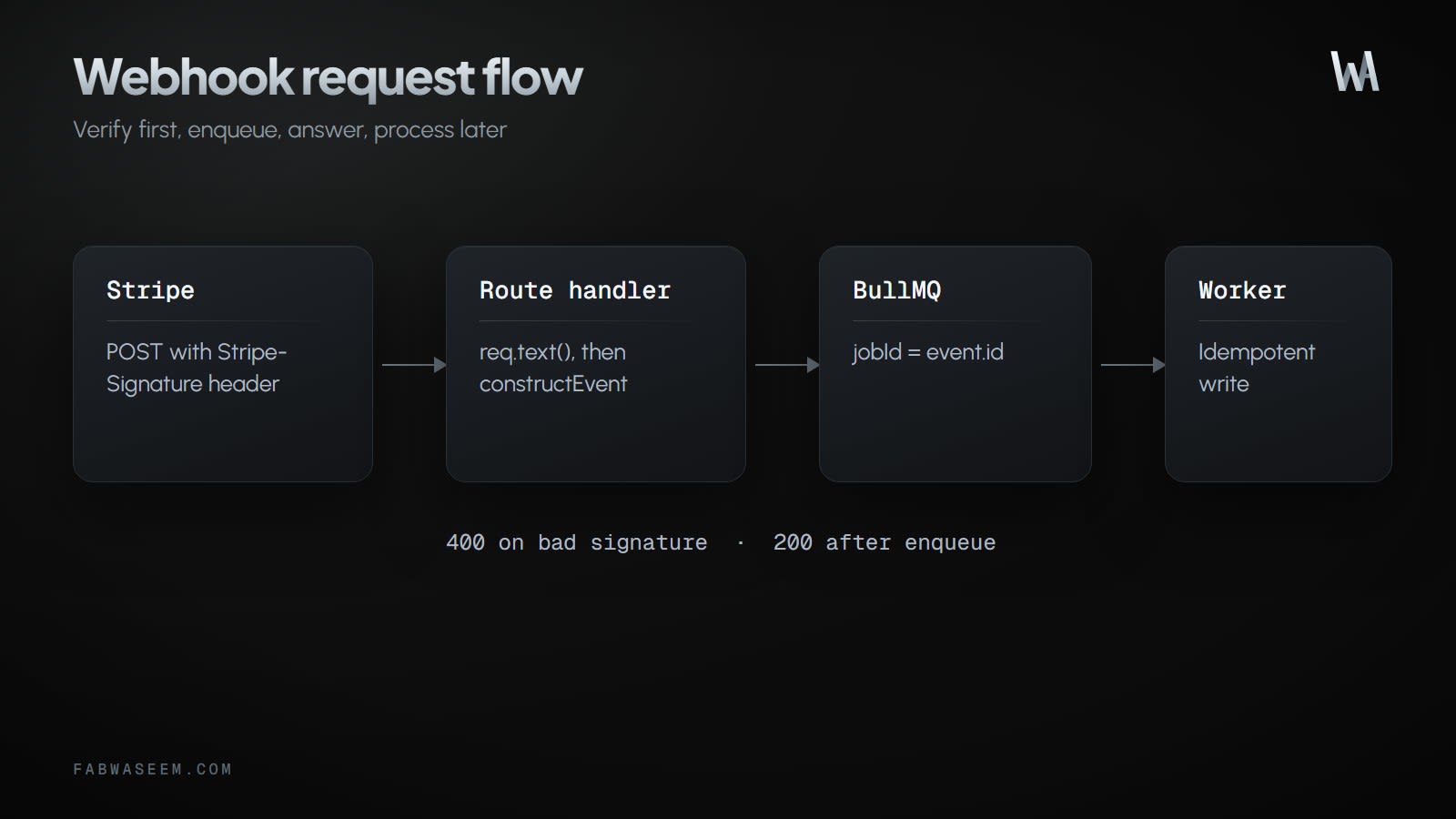
A bad signature gets a 400. A valid event that is safely queued gets a 200. If enqueueing fails, return a 500 so Stripe retries instead of losing the event.
How do I create the Stripe webhook route in Next.js?#
Create app/api/webhooks/stripe/route.ts. The App Router does not parse the request body for you, so req.text() returns exactly the string Stripe sent. The official stripe-node Next.js example follows the same pattern.
// app/api/webhooks/stripe/route.ts
import { NextResponse } from "next/server"
import Stripe from "stripe"
import { stripeQueue } from "@/lib/queue"

export const runtime = "nodejs"

const stripe = new Stripe(process.env.STRIPE_SECRET_KEY!)
const endpointSecret = process.env.STRIPE_WEBHOOK_SECRET!

const HANDLED = new Set([
  "checkout.session.completed",
  "checkout.session.async_payment_succeeded",
  "checkout.session.async_payment_failed",
])

export async function POST(req: Request) {
  const signature = req.headers.get("stripe-signature")
  if (!signature) {
    return NextResponse.json({ error: "Missing signature" }, { status: 400 })
  }

  // Raw body: do not call req.json() before verifying.
  const body = await req.text()

  let event: Stripe.Event
  try {
    event = stripe.webhooks.constructEvent(body, signature, endpointSecret)
  } catch {
    return NextResponse.json({ error: "Invalid signature" }, { status: 400 })
  }

  if (!HANDLED.has(event.type)) {
    return NextResponse.json({ received: true })
  }

  try {
    await stripeQueue.add(event.type, event, {
      jobId: event.id,
      attempts: 5,
      backoff: { type: "exponential", delay: 2000 },
      removeOnComplete: { age: 60 * 60 * 24 * 7 },
    })
  } catch {
    // Not queued: a non-2xx makes Stripe retry the delivery.
    return NextResponse.json({ error: "Queue unavailable" }, { status: 500 })
  }

  return NextResponse.json({ received: true })
}
constructEvent takes the three inputs Stripe documents: the raw request body, the Stripe-Signature header value and the endpoint secret. The SDK checks the v1 HMAC-SHA256 signature and rejects events whose timestamp is outside the default 5 minute tolerance. Setting runtime = "nodejs" keeps the synchronous constructEvent on Node's crypto module; the SDK also offers constructEventAsync for runtimes without it.
Only subscribe the endpoint to the event types you need. Stripe advises against listening to everything. The three Checkout events above come from Stripe's Checkout fulfillment guide: it tells you to handle checkout.session.completed and checkout.session.async_payment_succeeded, and suggests also handling checkout.session.async_payment_failed.
How do I deduplicate Stripe webhook events?#
Stripe's documentation says endpoints might occasionally receive the same event more than once. It recommends logging the event IDs you have processed and skipping logged ones. In some cases two separate Event objects are generated; for those, compare the ID of data.object together with event.type.
Using event.id as the BullMQ jobId gives you the first layer for free. BullMQ ignores a job whose id already exists in the queue, so a duplicate delivery adds nothing. Three caveats matter here:
- Once a job is removed, for example through
removeOnComplete, its id can be reused. That is why the route above keeps completed jobs for seven days, longer than Stripe's three day retry window. A manual resend after that point is caught only by the idempotent worker. - BullMQ keeps failed jobs unless you configure
removeOnFail. A job that used all its attempts stays in the failed set under the sameevt_id, so a resend of that event is ignored as a duplicate. Retry it from the queue, or setremoveOnFailif you want a resend to run it again. - Ids containing
:are split into separate values and digit-only ids throw. Stripe event ids such asevt_...are safe.
The second layer is an idempotent worker, covered next. If you would rather not run Redis, the same pattern works with a Postgres queue; see pg-boss vs BullMQ.
How do I process Stripe events in a BullMQ worker?#
Use two Redis connections in two modules. The producer side, used inside the request, should fail fast when Redis is unreachable so the route can answer 500 instead of hanging. BullMQ workers need maxRetriesPerRequest: null on their own connection.
// lib/queue.ts (used by the Next.js route)
import { Queue } from "bullmq"
import IORedis from "ioredis"

const producerConnection = new IORedis(process.env.REDIS_URL!, {
  enableOfflineQueue: false, // reject immediately when Redis is down
})

export const stripeQueue = new Queue("stripe-events", {
  connection: producerConnection,
})// lib/worker-connection.ts (used only by the worker process)
import IORedis from "ioredis"
export const workerConnection = new IORedis(process.env.REDIS_URL!, {
maxRetriesPerRequest: null, // required by BullMQ workers
})Run the worker as a separate Node process, not inside the Next.js server:
// worker/stripe.ts
import { Worker } from "bullmq"
import type Stripe from "stripe"
import { workerConnection } from "../lib/worker-connection"
import { prisma } from "../lib/prisma"

const worker = new Worker(
  "stripe-events",
  async (job) => {
    const event = job.data as Stripe.Event
    const session = event.data.object as Stripe.Checkout.Session

    switch (event.type) {
      case "checkout.session.completed":
      case "checkout.session.async_payment_succeeded": {
        // Delayed payment methods complete the session before the money arrives.
        if (session.payment_status === "unpaid") break

        const res = await prisma.order.updateMany({
          where: { stripeSessionId: session.id },
          data: { status: "PAID" }, // same result when run twice
        })
        // Order row not written yet: throw so BullMQ retries with backoff.
        if (res.count === 0) throw new Error(`Order for ${session.id} not found`)
        break
      }
      case "checkout.session.async_payment_failed": {
        await prisma.order.updateMany({
          // Never overwrite PAID with a late failure event.
          where: { stripeSessionId: session.id, status: { not: "PAID" } },
          data: { status: "FAILED" },
        })
        break
      }
    }
  },
  { connection: workerConnection, concurrency: 5 },
)

worker.on("failed", (job, err) => console.error("stripe job failed", job?.id, err))
worker.on("error", (err) => console.error("stripe worker error", err))
The payment_status check matters because Checkout sessions paid with delayed methods fire checkout.session.completed before the money arrives. Stripe's fulfillment guide skips only the unpaid state, so a session with no_payment_required (a 100% coupon, for example) still gets fulfilled. For delayed methods, checkout.session.async_payment_succeeded marks the order paid later, and checkout.session.async_payment_failed marks it failed. A declined card on a normal Checkout attempt is not a failure of the session, because the customer can retry, so this guide does not react to payment_intent.payment_failed.
Write handlers so that running them twice has the same result as running them once: set a status instead of incrementing a counter, upsert instead of insert, and put a unique constraint on any row you create per event. Stripe also states that it does not guarantee event order, and snapshot events record created in seconds, so distinct events can share a timestamp. Do not use created to decide order or whether you processed something. That is why the failure branch above refuses to overwrite a paid order. For anything critical, retrieve the Checkout Session from the Stripe API inside the worker instead of trusting the payload, which is what Stripe's fulfillment example does. For a fuller queue-based pipeline see the AI automation pipeline with BullMQ post.
Why does Stripe webhook signature verification fail?#
The classic error is:
Webhook signature verification failed. Err: No signatures found matching the expected signature for payload.Stripe says at least one of the three inputs is wrong.
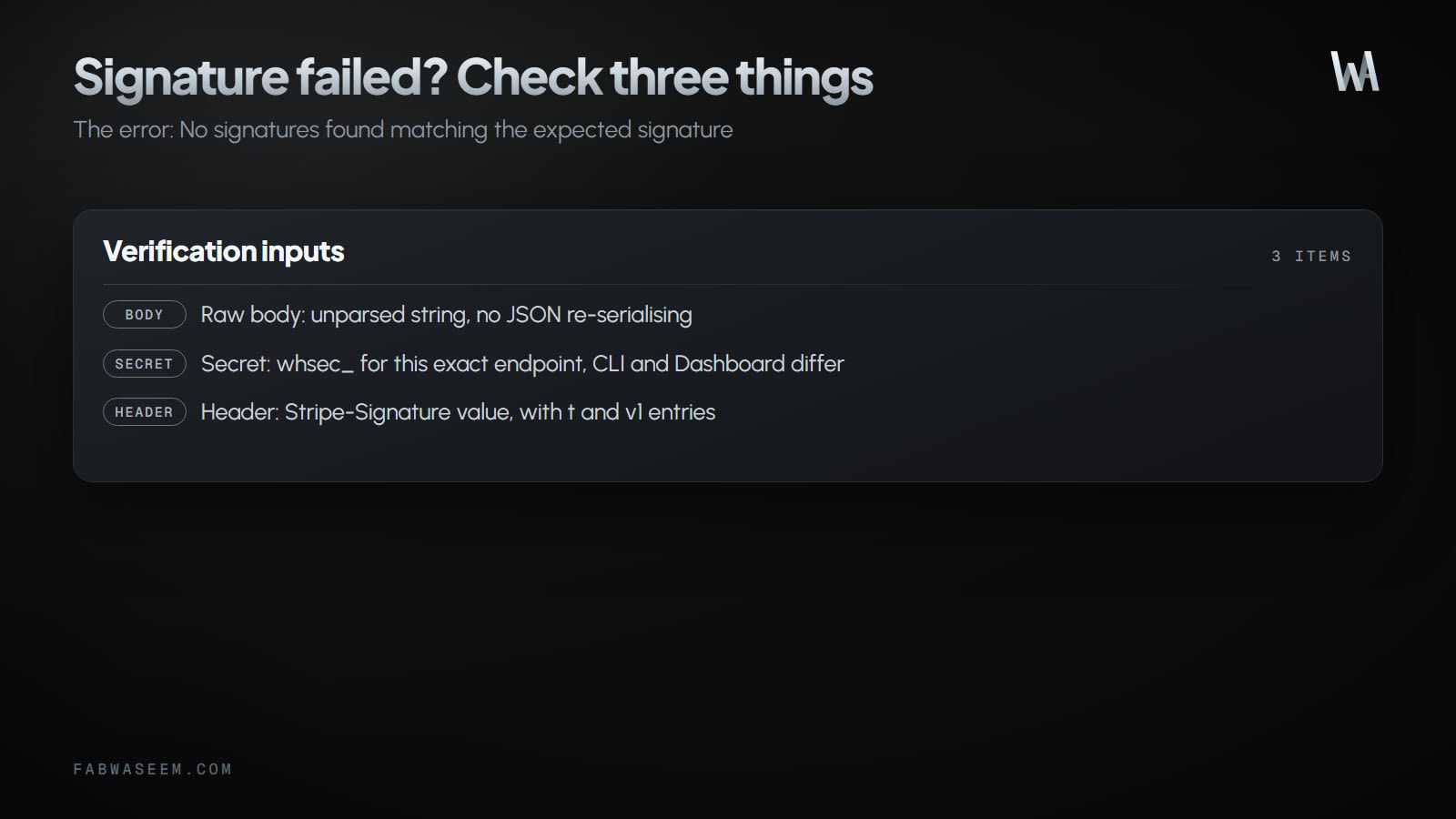
- The body was modified. The body must be the exact string Stripe sent. Parsing it with
req.json()and re-serialising changes key order, whitespace or encoding, and verification fails. In Next.js App Router, usereq.text(). In the Pages Router, disablebodyParserand read the buffer. In Express, mount the webhook route beforeexpress.json(). - The secret is for a different endpoint. The secret printed by
stripe listendiffers from the secret of a Dashboard endpoint, and test and live mode secrets differ too. All start withwhsec_. Trim stray whitespace from the environment variable. - The header was read wrongly. The header looks like
t=...,v1=.... Your code must accept unknown entries and not depend on their order or count. During a secret roll there can be severalv1entries.
The optional payload debug entry in the header is a suffix of the SHA-256 of the exact body Stripe signed, which helps you spot a modified body. It is unsigned, so never use it to authenticate a request.
How do I test a Stripe webhook locally?#
Use the Stripe CLI to forward events to your dev server:
stripe listen --forward-to localhost:3000/api/webhooks/stripeCopy the whsec_ secret it prints into STRIPE_WEBHOOK_SECRET, restart the dev server and trigger an event:
stripe trigger checkout.session.completedIf the endpoint was down, you can replay events with stripe events resend <event_id> --webhook-endpoint=<endpoint_id> within 30 days. The Dashboard's Resend button works for 15 days. A manual resend does not cancel Stripe's automatic retries, so your dedupe logic must handle the extra delivery.
Snapshot or thin events: which should I handle?#
This guide uses snapshot events, where the payload carries the object as it was at event time and you verify with constructEvent. Stripe's current docs recommend thin events for new integrations, which you verify with parseEventNotification and enrich with fetchRelatedObject(). Thin events need a separate endpoint and are registered as a separate event destination. The raw body, fast 2xx and idempotency rules are identical for both. Pick snapshot when you need the full object or previous_attributes without another API call.
What else should a production webhook endpoint do?#
- Accept requests only from Stripe's published IP addresses in addition to checking signatures.
- Roll the signing secret periodically. Stripe lets the old secret stay active for up to 7 days while you deploy the new one.
- Keep the endpoint publicly reachable over HTTPS (TLS 1.2 or higher). Redirects count as failures, so register the final URL.
- Log the event ID and type on every request so you can match your logs with the Dashboard's Event deliveries tab.
- If you secure other routes with a proxy or auth layer, exclude the webhook path from it. The route authenticates itself with the signature. For API design patterns around this, see the secure NestJS and Prisma API starter, and for when to prefer route handlers over server actions, Server Actions vs Route Handlers.
Key takeaways#
- Read
await req.text()and verify withconstructEventbefore parsing anything. - Answer
2xxfast; do the real work in a queue worker. - Use
event.idas the BullMQjobIdand keep completed jobs longer than the retry window. - Make workers idempotent and never depend on event order.
- Debug failed signatures by checking the body, the endpoint secret and the header, in that order.
Sources: Stripe webhooks, Resolve webhook errors, Checkout fulfillment, Stripe CLI listen and BullMQ job ids.
Questions
Share this guide
Comments
No comments yet. Questions, corrections and your own results are all welcome.
Be kind and stay on topic. No name needed: leave it blank and you post under an anonymous name that stays yours. Links get
nofollow; spam is removed. Your email is never shown and is only used for reply notifications you ask for. Privacy