WhatsApp AI Chatbot for Business: How It Works and What It Costs
How a WhatsApp AI chatbot works, what Meta charges per message, what the 24-hour window means, and the four cost parts to ask any developer to quote separately.

On this page
A WhatsApp AI chatbot for business is an assistant connected to your own WhatsApp Business number through Meta's Cloud API. It answers customer questions from your real data (products, orders, FAQs) and passes the chat to a person when it should. The cost is not one flat fee. It is four separate parts: Meta's per-message fees, an optional platform fee, AI model usage and the work of building and maintaining it. This guide explains how the pieces fit together, what Meta charges for and what to ask any developer before you sign.
How does a WhatsApp AI chatbot work?#
Meta's Cloud API lets software send and receive WhatsApp messages programmatically. According to Meta's developer documentation, it delivers incoming messages and delivery status updates to your server as webhooks, which are JSON payloads sent to a URL you control.
The flow has four steps:
- A customer writes to your business number.
- The Cloud API sends that message to your server as a webhook.
- An AI agent reads the message, looks up the facts it needs (stock, order status, opening hours) and drafts an answer.
- The reply goes back through the API, or the conversation is handed to a person.
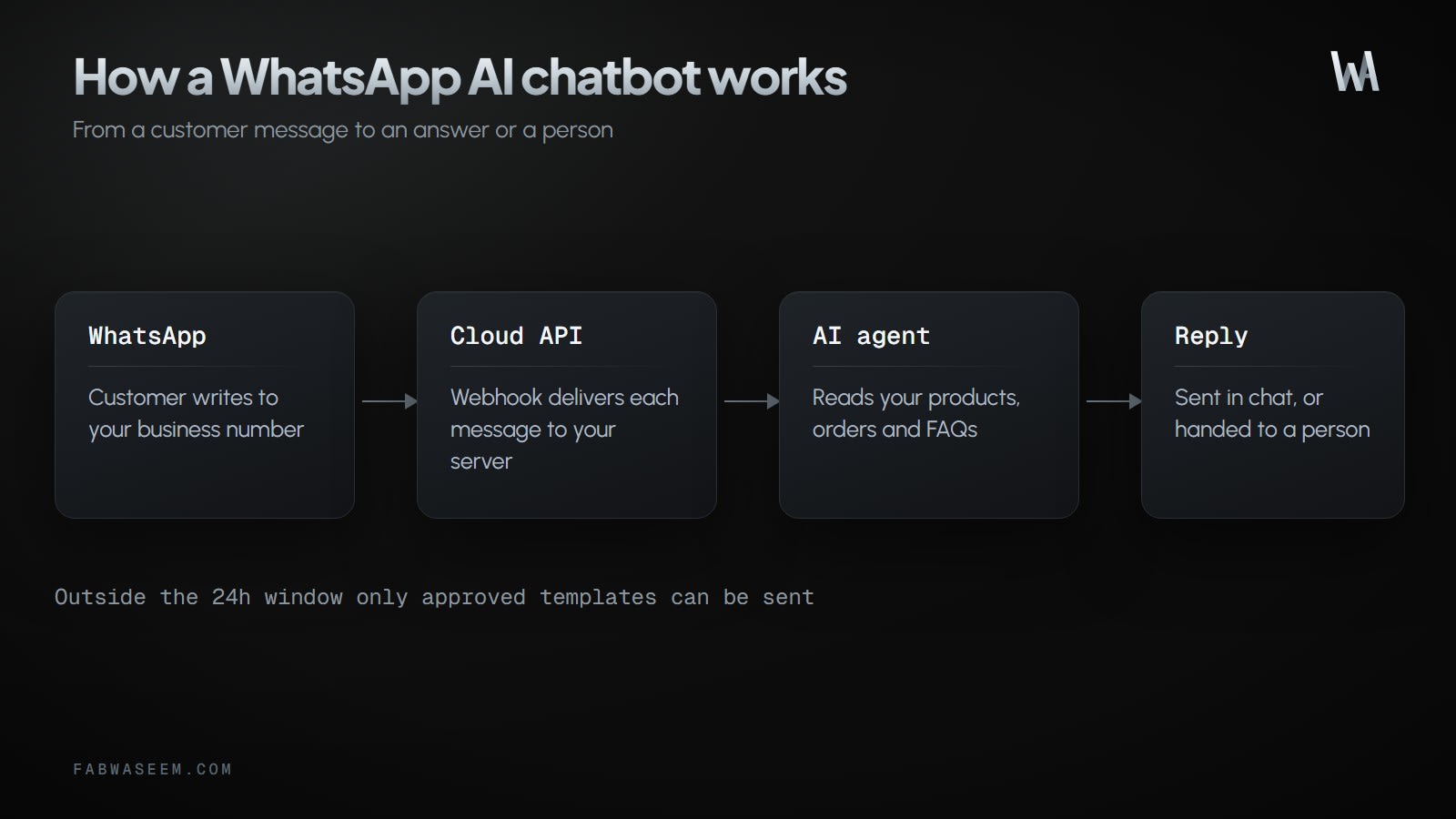
The step that decides quality is step 3. A bot that only has a generic model will guess. A bot connected to your catalogue and orders can answer "is the blue one in size 42 in stock?" with the real answer. This pattern is often built as retrieval over your documents, which I cover in RAG with pgvector and the AI SDK.
What does Meta charge for WhatsApp messages?#
Meta bills per message, and only for messages that are delivered. Its pricing page says it charges "when a message is delivered (not sent)", and its developer documentation states that per-message billing replaced conversation-based pricing on July 1, 2025.
Meta groups messages into categories:
Marketing, utility and authentication messages are sent as approved templates. Service messages are the free-form replies your chatbot sends while a customer is talking to you.
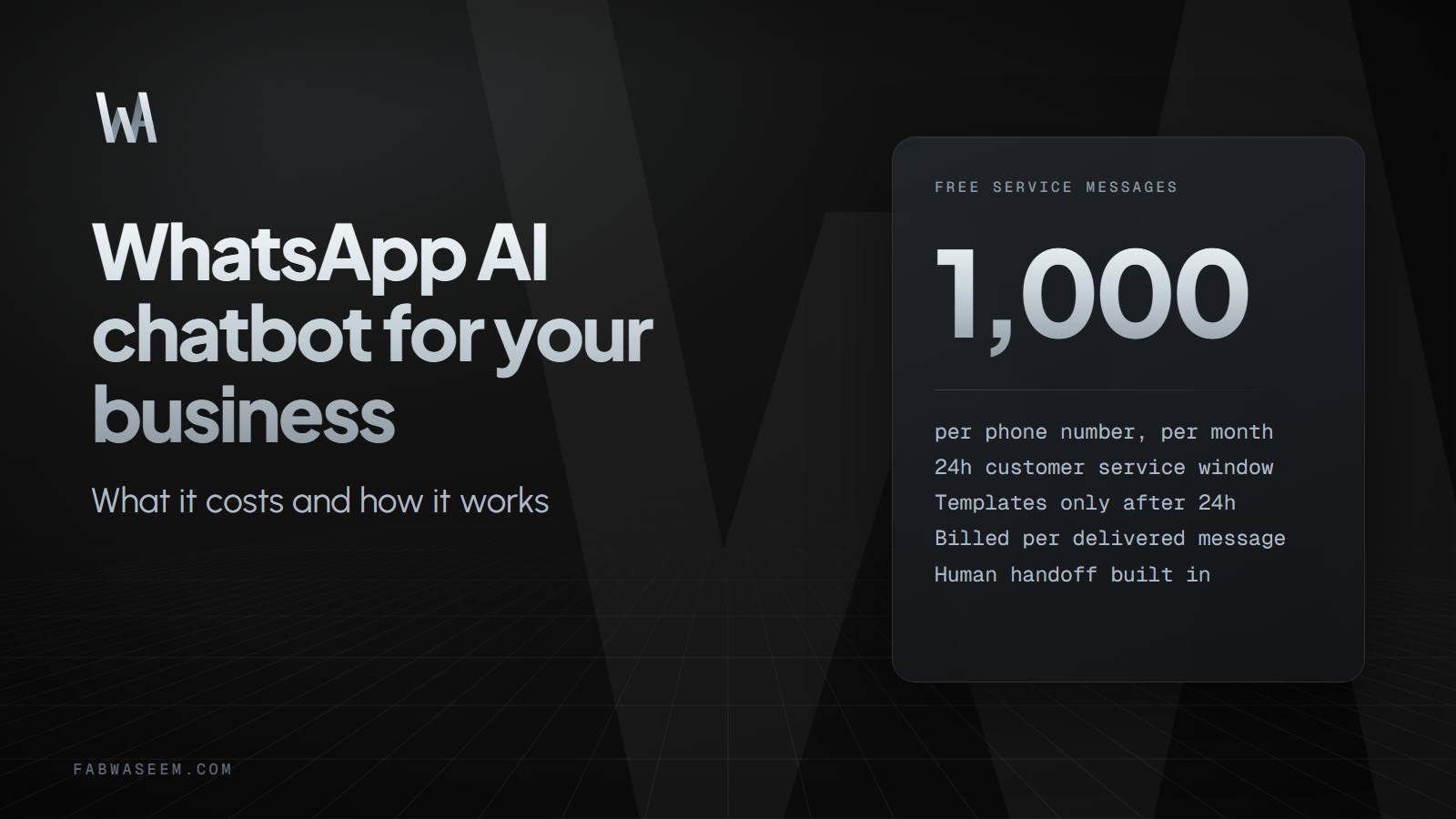
Two details matter for budgeting. First, each business phone number gets 1,000 free service messages per month, and unused messages do not roll over. Meta's developer documentation says it resumed charging for service messages beyond that free tier on October 1, 2026. Second, rates differ by country and category, and Meta only changes them on January 1, April 1, July 1 or October 1. Pick your own country in Meta's rate card instead of trusting a blog post's numbers, because vendor articles disagree with each other.
What is the 24-hour customer service window?#
When a customer messages you, a 24-hour customer service window opens and resets each time they write again. Inside it, you can send normal free-form replies, which is where an AI chatbot does its work. Outside it, you can only send approved message templates.
This shapes what a chatbot can and cannot do. It can answer a question the moment it arrives. It cannot start a free-form chat with someone who has been silent for two days. A follow-up after that needs a pre-approved template, and it is billed under its category.
Meta also describes a free entry point window that opens when a customer reaches you from a Click to WhatsApp ad. Most message types are not charged inside it, but Meta Business Agent messages still are. Check the current rules in Meta's documentation before you plan ad campaigns around it.
Does WhatsApp allow AI chatbots for business?#
Yes, for customer service. In October 2025 Meta added an "AI providers" section to its WhatsApp Business API terms. TechCrunch reported that it prohibits developers of AI models and general-purpose assistants, such as ChatGPT, from using the API to distribute those tools when they are the main function, effective January 15, 2026. The same report says a company running a customer-service bot is not barred.
Meta's business policy also allows automation in the customer service window ("You may use automation when responding during the 24-hour window"). It expects clear ways for the customer to reach a human, such as an in-chat transfer to an agent, a phone number, an email address or a support form. A support bot with no escape route to a person is a policy risk and a customer experience problem at the same time.
How much does a WhatsApp AI chatbot cost?#
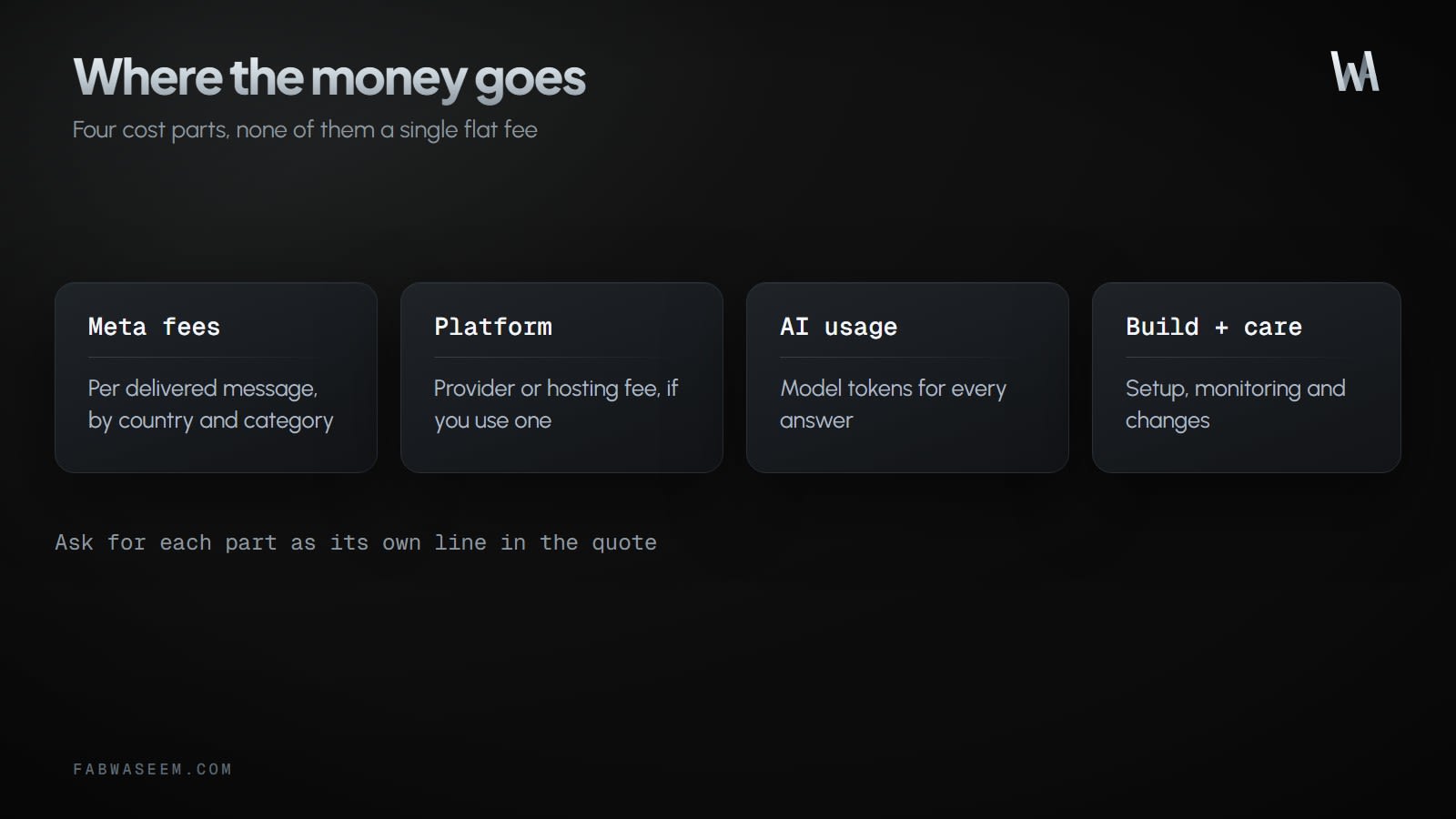
Think in four parts and ask for each as its own line in a quote.
- Meta message fees. Per delivered message, by country and category. Support chats inside the service window start with the free allowance. Template follow-ups and marketing sends are what grow the bill.
- Platform fee. Some businesses use a provider that sits between them and Meta and charges a subscription or a markup. Others connect to the Cloud API directly and host the bot themselves. Both are valid, but you should know which one you are paying for.
- AI model usage. Every answer uses model tokens, so cost follows conversation volume and how much data you pass in. Keep prompts lean and cache what you can.
- Build and maintenance. Setup, connecting your shop or CRM, monitoring, and changes when your catalogue or policies change.
Vendor marketing pages advertise very low monthly plans, and custom builds cost far more. The right comparison is cost per resolved conversation, not the monthly sticker price. A cheap plan that cannot read your orders will hand most chats to your staff anyway.
Should you use a no-code platform or a custom build?#
A no-code or hosted platform is the faster start. It suits simple FAQ bots and lets you test demand cheaply. A custom build suits you when the bot has to do real work in your systems: check live stock, create an order, start a return, match a payment receipt to an order. It also keeps your data and your code in your own repository and infrastructure.
If you are unsure, start with the narrowest useful job, such as order status questions, and measure how many chats the bot resolves without a person. Expand only when that number justifies it.
What does this look like for your business?#
Take a store that gets the same questions all day: where is my order, do you have this in my size, how do I return this. The bot answers those from live data, takes the order in chat when the customer is ready, and hands over to your team the moment a customer is upset or the question is unusual, passing the full conversation along so nobody starts from zero.
Your team's time shifts from repeating answers to handling exceptions. A good setup also shows cost per conversation, so you can see what each automated answer costs against what a staff reply costs you.
Before you hire anyone, have these answers ready:
- Which three questions make up most of your chats?
- What data would the bot need to answer them (products, orders, policies)?
- Who takes over, and how fast, when the bot hands off?
- Which country are most customers in, so you can read the right rate card?
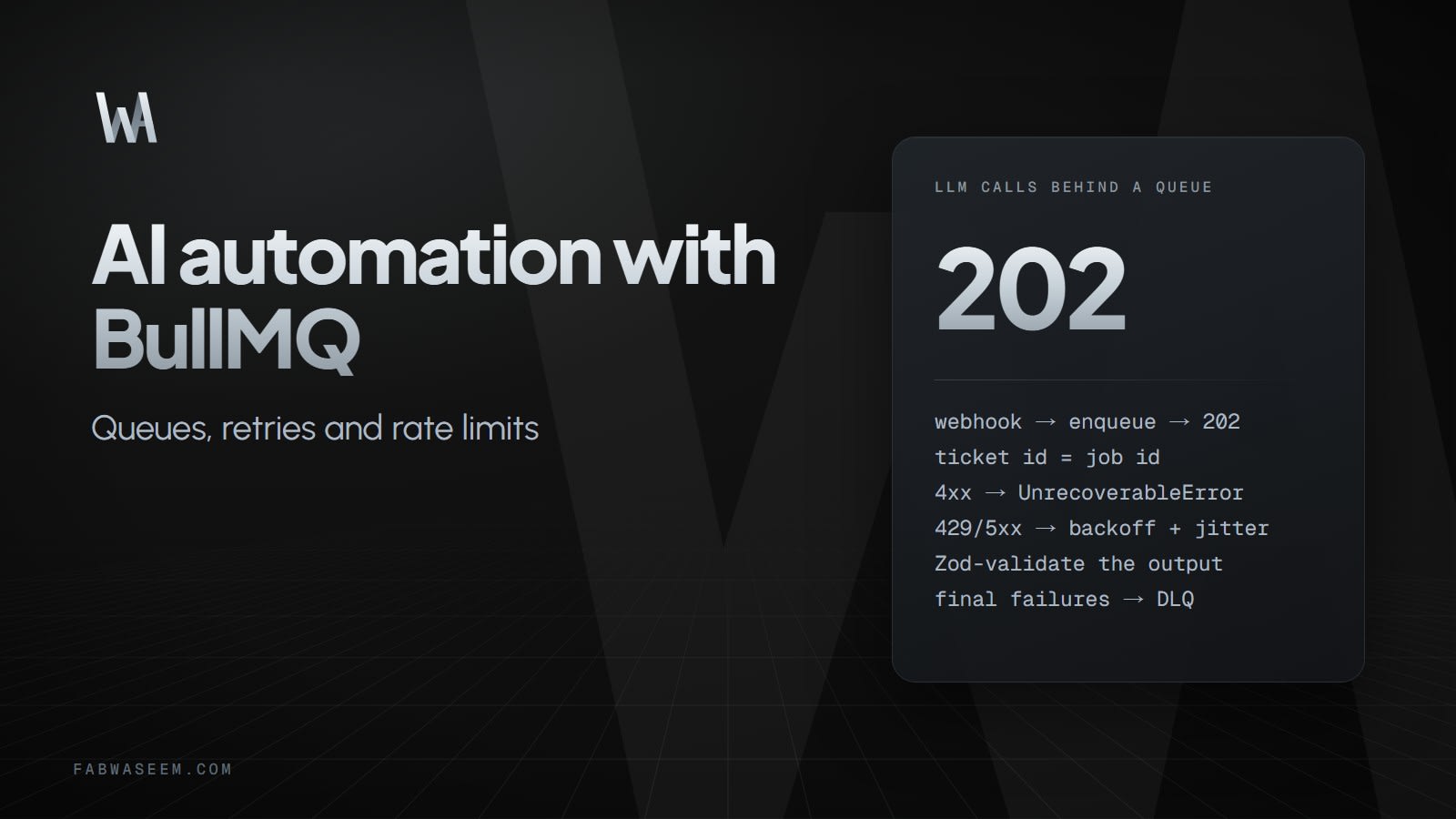
If you want the engineering side of approvals before an agent acts, read human-in-the-loop tool approval with the AI SDK. For wider AI workflows, see AI automation.
I build this kind of assistant, connected to Shopify and your own WhatsApp number, with human takeover, as described on the WhatsApp and Shopify automation service page.
Key takeaways#
- A WhatsApp AI chatbot connects your business number to an AI agent through Meta's Cloud API and webhooks.
- Meta bills per delivered message, and each phone number gets 1,000 free service messages per month before charges apply.
- Free-form replies are allowed inside the 24-hour customer service window. After it closes, only approved templates can be sent.
- Using AI to serve your own customers is allowed. AI providers distributing general-purpose assistants through the API is not.
- Cost has four parts: Meta fees, platform fee, AI usage, and build plus maintenance. Ask for them separately.
- Measure cost per resolved conversation and always keep a clear path to a human.
Questions
Share this guide
Comments
No comments yet. Questions, corrections and your own results are all welcome.
Be kind and stay on topic. No name needed: leave it blank and you post under an anonymous name that stays yours. Links get
nofollow; spam is removed. Your email is never shown and is only used for reply notifications you ask for. Privacy