Next.js Standalone Output: Build, Run and Fix It
How Next.js standalone output works: what lands in .next/standalone, which folders to copy, how env files behave, monorepo paths, systemd and PM2 setups, and fixes for common errors.

On this page
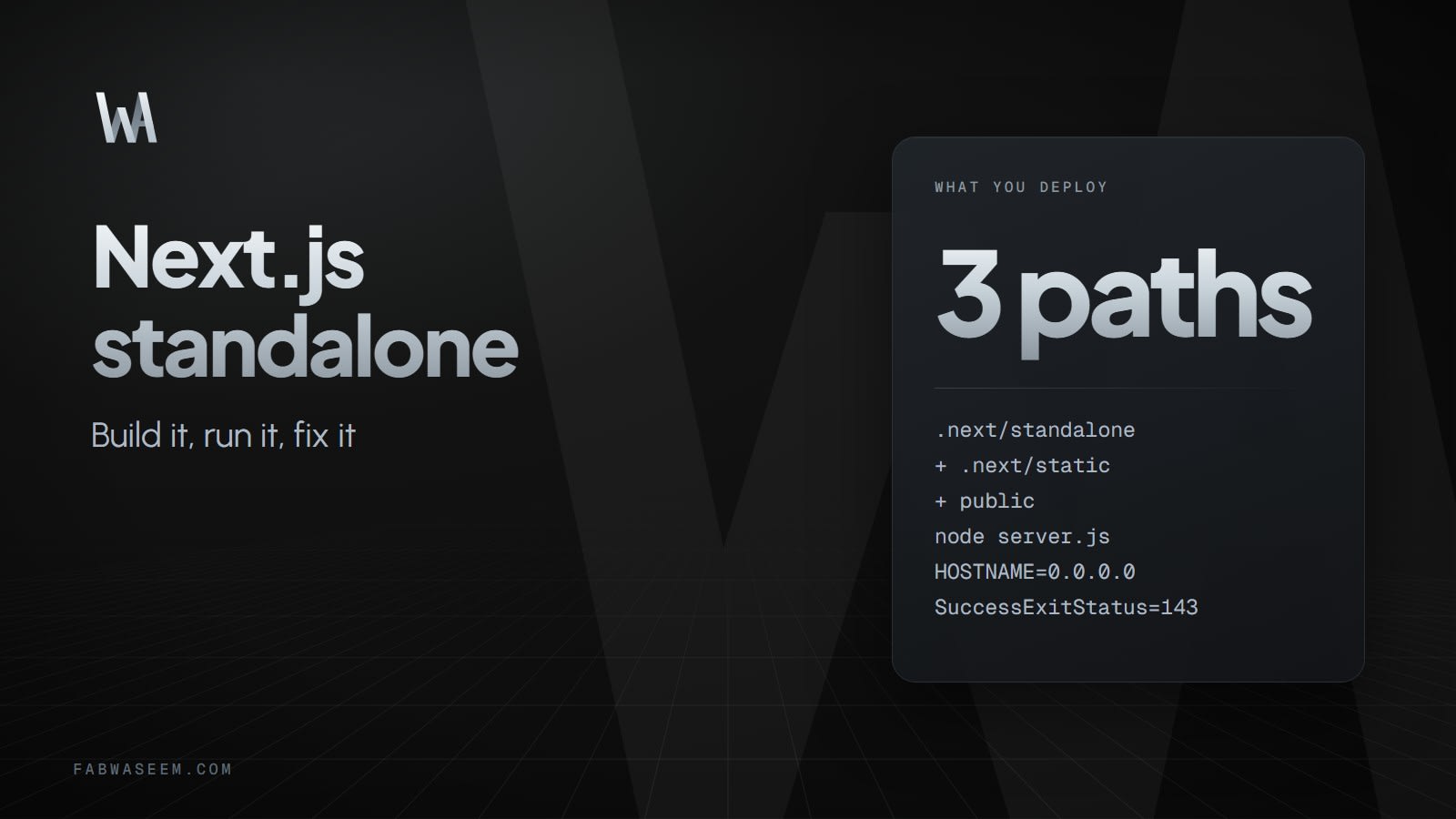
Next.js standalone output (output: 'standalone' in next.config) makes next build write a self-contained server to .next/standalone, with only the node_modules files your app needs. Copy public and .next/static into that folder, then start it with node server.js. No npm install is needed on the server.
The examples below use Next.js 16.4. They cover the folder layout, environment variables, monorepos, running under systemd or PM2, and the errors that show up most often.
What is Next.js standalone output?#
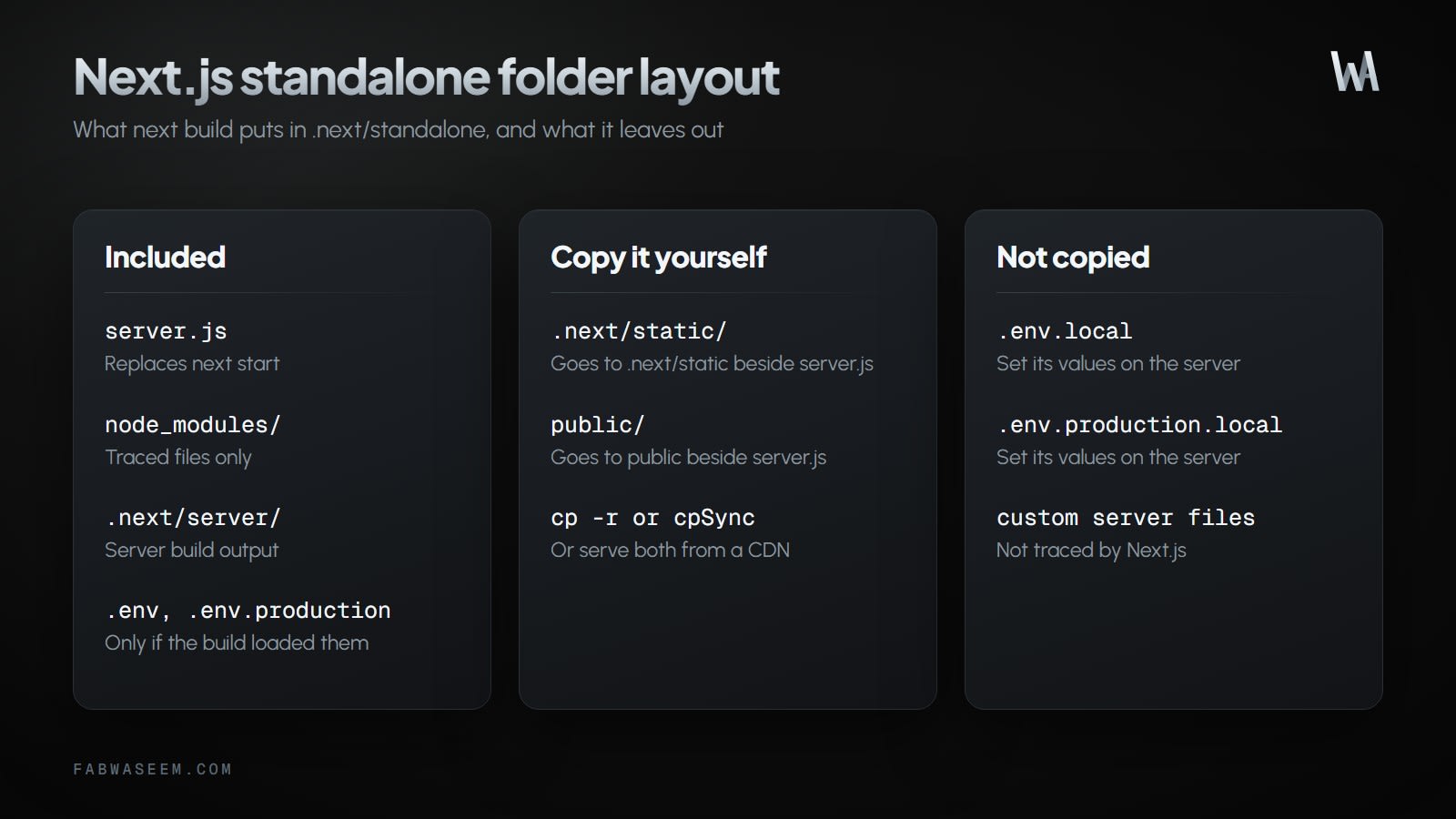
Next.js standalone output is a deployment folder that Next.js assembles from its file trace. During next build, it analyzes import, require and fs usage to find the files each route needs, then copies them into .next/standalone together with a minimal server.js that replaces next start.
The official output reference describes the tracing step. What matters when you deploy is what ends up in the folder and what does not:
How do you build and run Next.js standalone output?#
Add output: 'standalone' to your config, run next build, copy the two asset folders next to server.js, and start the server with Node.js. Next.js 16.4 requires Node.js 20.9 or later.
Step 1: enable standalone output#
// next.config.ts
import type { NextConfig } from "next";

const nextConfig: NextConfig = {
  output: "standalone",
};

export default nextConfig;
Step 2: build and copy the assets#
On macOS and Linux:
npx next build
cp -r public .next/standalone/
cp -r .next/static .next/standalone/.next/
Step 3: start the server#
PORT defaults to 3000 and HOSTNAME to 0.0.0.0:
PORT=8080 HOSTNAME=127.0.0.1 node .next/standalone/server.jsSet these two in the process environment. A PORT or HOSTNAME that exists only in a copied .env file does not change the listen address, because server.js reads both before Next.js loads env files.
In PowerShell, set the variables first: $env:PORT=8080; node .next/standalone/server.js.
A copy script that works on Windows, macOS and Linux#
cp -r behaves differently across shells, so a small Node script is safer in package.json. It takes the app's path inside a monorepo as an optional argument.
// scripts/copy-standalone.mjs
import { cpSync, existsSync } from "node:fs";
import path from "node:path";

// Monorepo: pass the app path, for example "apps/web"
const serverDir = path.join(".next", "standalone", process.argv[2] ?? "");

if (!existsSync(path.join(serverDir, "server.js"))) {
  throw new Error(`No server.js in ${serverDir}. Check output: "standalone".`);
}

cpSync(".next/static", path.join(serverDir, ".next", "static"), {
  recursive: true,
});

if (existsSync("public")) {
  cpSync("public", path.join(serverDir, "public"), { recursive: true });
}

console.log(`Ready: node ${path.join(serverDir, "server.js")}`);{
"scripts": {
"build": "next build && node scripts/copy-standalone.mjs",
"start": "node .next/standalone/server.js"
}
}These two scripts are for a single app. In a monorepo, add the app path to both, for example node scripts/copy-standalone.mjs apps/web.
If you deploy only the folder, put migrations and other pre-start tasks in your deploy step. Running node server.js directly does not trigger npm's prestart script.
Build on the same operating system and CPU architecture as the server, or inside a container that matches it. The traced node_modules can include platform-specific binaries, such as the ones sharp installs for image processing.
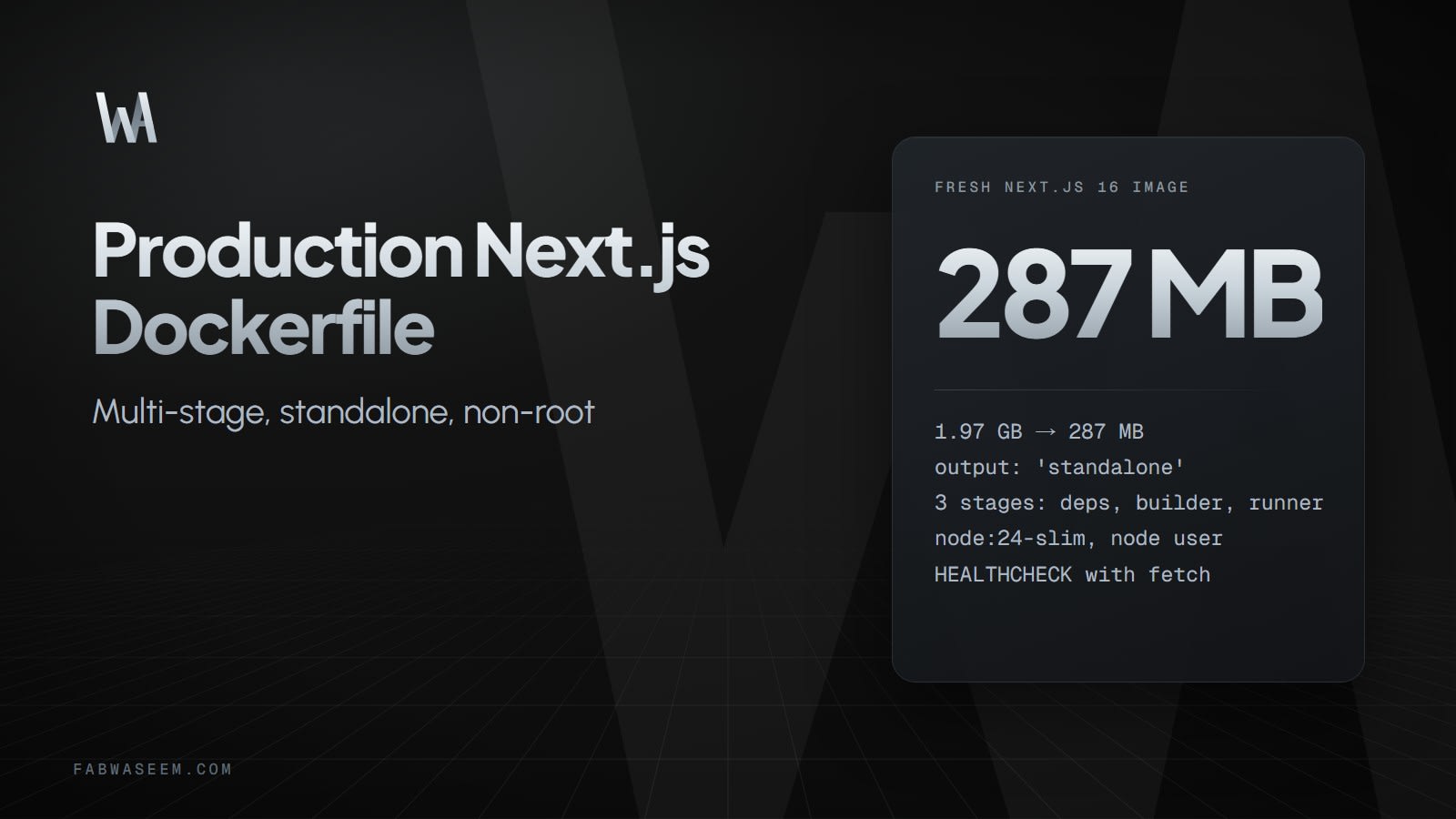
For containers, the official Docker example copies the same three paths into the final stage. The production Next.js Dockerfile guide walks through that setup, including health checks and a non-root user.
How do environment variables work in standalone mode?#
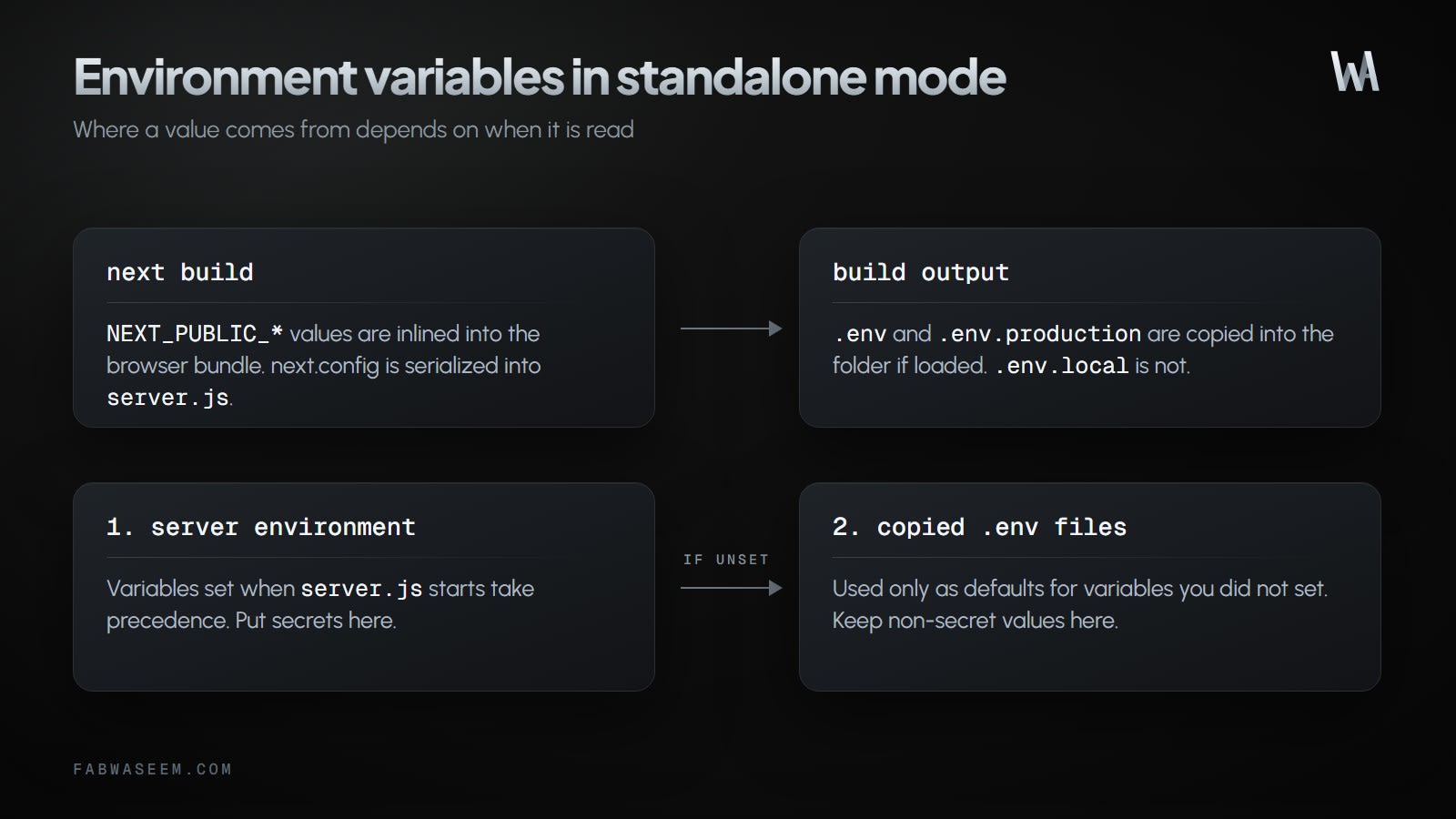
Server code in standalone mode reads variables from the environment you start server.js with. If the build loaded .env or .env.production, copies ship in the folder and act as defaults. NEXT_PUBLIC_ variables are inlined into the browser bundle at build time, so changing them requires a rebuild.
The rules, from the Next.js docs:
- Variables set when the server starts take precedence over the copied
.envfiles. .env.localand.env.production.localare not copied. They still apply during the build, but request-time code only sees those values if you set them on the server.outputFileTracingExcludesdoes not remove the copied.envfiles.
The copied files are the part to watch: a secret in .env travels with your build artifact. Keep non-secret defaults there, or delete the copies after the build. In a monorepo they sit under the app's subfolder, such as .next/standalone/apps/web/.env.
rm -f .next/standalone/.env .next/standalone/.env.productionDeleting them also removes their fallback values, so set every variable the server needs when you start it.
To make a route read a value at request time instead of during prerendering, call connection() first:
// app/api/config/route.ts
import { connection } from "next/server";

export async function GET() {
  await connection();
  return Response.json({ region: process.env.APP_REGION ?? "unset" });
}
Your next.config is different: it is read during next build and serialized into server.js. A config value computed from an environment variable keeps its build-time value.
How does Next.js standalone work in a monorepo?#
In a monorepo, the standalone folder mirrors the path from the tracing root to your app. With an app in apps/web, the server is at .next/standalone/apps/web/server.js, while shared node_modules sit higher up in .next/standalone. The static and public folders go beside that nested server.js.
Set the tracing root explicitly to the repository root, so the build does not depend on which lockfile Next.js finds:
// apps/web/next.config.ts
import path from "node:path";
import type { NextConfig } from "next";

const nextConfig: NextConfig = {
  output: "standalone",
  outputFileTracingRoot: path.join(__dirname, "../../"),
};

export default nextConfig;
Then build, copy and start from the app folder:
npx next build
node scripts/copy-standalone.mjs apps/web
node .next/standalone/apps/web/server.js
Deploy the whole .next/standalone directory, not only the apps/web subfolder, or the server loses its dependencies. In that case the paths on your server are apps/web/server.js plus node_modules at the top.
How do you include files missing from the standalone build?#
Use outputFileTracingIncludes when a file your code reads at runtime is not in .next/standalone. Keys are route globs, and values are file globs resolved from the Next.js project folder. Typical candidates are templates, locale files and native assets whose paths are built dynamically.
// next.config.js
module.exports = {
  output: "standalone",
  outputFileTracingIncludes: {
    "/api/invoice": ["./templates/**/*"],
  },
  outputFileTracingExcludes: {
    "/*": ["./test-fixtures/**/*"],
  },
};
Keep these details in mind:
- The generated
server.jschanges the working directory to its own folder, so build file paths withprocess.cwd()relative to the app root. - Route include and exclude options apply to server traces. Fully static pages and Edge routes are not affected.
- To exclude files from the production server trace, use the special
next-serverkey inoutputFileTracingExcludes. Route globs such as'/*'do not apply to that trace.
How do you run a Next.js standalone server with systemd or PM2?#
Copy the prepared standalone folder to the server and let a process manager run node server.js, with a reverse proxy in front. Next.js recommends a reverse proxy such as nginx instead of exposing the Node.js server directly, so bind to 127.0.0.1 when the proxy runs on the same machine.
Prepare the server#
Use one user to own the files and run the app. These examples use an existing deploy user. Create the folder once on the server:
sudo mkdir -p /srv/web
sudo chown deploy:deploy /srv/web
From your build machine, copy the contents of the prepared folder, including the hidden .next directory:
rsync -a .next/standalone/ deploy@server:/srv/web/On the server, create /etc/web.env with your runtime variables, one NAME=value per line, and let the deploy group read it:
sudo chown root:deploy /etc/web.env
sudo chmod 640 /etc/web.env
Then pick systemd or PM2, not both. To redeploy, run rsync again and restart the app with sudo systemctl restart web or pm2 restart web.
In a monorepo, the app lives in /srv/web/apps/web. Use that path for WorkingDirectory and the PM2 cwd.
systemd#
# /etc/systemd/system/web.service
[Unit]
Description=Next.js standalone server
After=network.target

[Service]
User=deploy
WorkingDirectory=/srv/web
Environment=PORT=3000 HOSTNAME=127.0.0.1
EnvironmentFile=/etc/web.env
ExecStart=/usr/bin/node server.js
Restart=on-failure
SuccessExitStatus=143

[Install]
WantedBy=multi-user.target
The unit fails to start if the environment file is missing. Check your Node.js path with which node, then run sudo systemctl daemon-reload and sudo systemctl enable --now web.
The SuccessExitStatus=143 line matters. On SIGTERM, the Next.js server closes and then exits with code 143. systemd treats exit code 0 and a few termination signals as clean, but a numeric 143 is only clean if you list it.
PM2#
Install it with npm install -g pm2. PM2 does not read /etc/web.env by itself, so pass the file to Node.js with --env-file:
// /srv/web/ecosystem.config.cjs
module.exports = {
  apps: [
    {
      name: "web",
      cwd: "/srv/web",
      script: "server.js",
      node_args: "--env-file=/etc/web.env",
      env: { PORT: 3000, HOSTNAME: "127.0.0.1" },
    },
  ],
};
The .cjs extension keeps module.exports valid even if the copied package.json sets "type": "module". As the deploy user, run pm2 start ecosystem.config.cjs, then pm2 startup (and the command it prints) and pm2 save so the app returns after a reboot.
Keep-alive timeouts behind a load balancer#
The server's keep-alive timeout should be longer than the downstream proxy's, otherwise the proxy can reuse a connection Node.js has closed. With next start you pass --keepAliveTimeout. With standalone, server.js reads the KEEP_ALIVE_TIMEOUT variable in milliseconds, so set it, for example KEEP_ALIVE_TIMEOUT=70000 behind a 60-second proxy timeout.
If you would rather use a platform, self-hosting Next.js with Coolify handles the proxy and deploys, and Cloudflare Tunnel with Docker Compose publishes the app without open ports. When you run several instances, give them a shared cache, as covered in the use cache guide.
How do you fix common Next.js standalone errors?#
Most standalone failures come from a handful of causes: assets that were not copied, the wrong listen address, files missing from the trace, binaries built for another platform, and a tracing root that does not match your repository. Match your message below.
"next start" does not work with "output: standalone"#
⚠ "next start" does not work with "output: standalone" configuration. Use "node .next/standalone/server.js" instead.Change the start command to node .next/standalone/server.js (or the nested monorepo path). To keep using next start, remove output: 'standalone'.
CSS, JavaScript or images return 404#
The server runs, but the page has no styles. .next/static or public is missing next to server.js. Copy them to exactly <server folder>/.next/static and <server folder>/public.
The server is unreachable in Docker#
server.js listens on process.env.HOSTNAME, and Docker sets HOSTNAME in Linux containers to the container's hostname. Override it in the Dockerfile, as the official example does:
ENV HOSTNAME=0.0.0.0Could not find the Next.js package#
Error: Could not find the Next.js package (next/package.json)With Turbopack in a monorepo, one cause is a root that is too narrow: next is installed above outputFileTracingRoot. Point it at the repository root. A related build warning says traced files "were not included in the standalone output" because they are outside that root, and the fix is the same.
Could not load the "sharp" module#
Could not load the "sharp" module using the linux-x64 runtimeThe traced node_modules does not contain a native binary that matches the server's operating system, CPU or C library. Install dependencies and build on the same platform as the runtime (glibc and musl differ), keep optional dependencies enabled, and rebuild. The sharp installation guide covers cross-platform installs.
Cannot find module with a custom server#
Next.js does not trace custom server files, and the custom server guide says the two cannot be used together. One symptom reported on Next.js 14.1.4 is Cannot find module './bundle5'. Use the generated server.js, or drop standalone output and deploy your custom server with full dependencies.
EPERM: operation not permitted, symlink (Windows)#
One report on Next.js 14.2.8 with pnpm hit this error, and the reporter got past it with an administrator terminal. Current docs note that directory symlinks can need Developer Mode, and that a build which falls back to a junction point cannot be moved to another location. Upgrade Next.js, enable Developer Mode or run the terminal as administrator, and build deployment artifacts on Linux when you can.
Should you use standalone, next start or static export?#
Use standalone when you run Node.js yourself and want a small artifact, such as a Docker image or a VPS release. Use the default output with next start when installing all dependencies is acceptable. Use static export only when the site needs no Node.js server at runtime.
Want your app moved to your own server without the trial and error? See Next.js development services. For the full path from platform choice to a running deployment, read the self-host Next.js guide.
Key takeaways#
output: 'standalone'creates.next/standalonewithserver.jsand only the traced dependencies.- Copy
.next/staticandpublicbesideserver.js, or serve them from a CDN. .envand.env.productioncan ship inside the folder; keep secrets in the server environment.- In monorepos,
server.jsis nested under the app path, so setoutputFileTracingRootand deploy the whole folder. - Set
HOSTNAME=0.0.0.0in containers, and addSuccessExitStatus=143under systemd.
Questions
Share this guide
Comments
No comments yet. Questions, corrections and your own results are all welcome.
Be kind and stay on topic. No name needed: leave it blank and you post under an anonymous name that stays yours. Links get
nofollow; spam is removed. Your email is never shown and is only used for reply notifications you ask for. Privacy