How to Upgrade Prisma 6 to 7 (Step by Step)
A step-by-step Prisma 6 to 7 upgrade: ESM, the new prisma-client generator, prisma.config.ts, driver adapters, removed middleware and CLI flags, SSL and pool fixes, and a checklist. Prisma ORM 6 support ends 19 November 2026.

On this page
Upgrading Prisma 6 to 7 is a one-afternoon job for most apps, but it is not a version bump. Prisma ORM 7 ships as an ES module, generates the client into your source tree instead of node_modules, moves the database URL into prisma.config.ts, and needs a driver adapter for every database. The CLI also stops running generate and seed for you.
The deadline is real: Prisma ORM 6 receives security patches only until 19 November 2026, according to Prisma's release-status page. Below is the upgrade in order, with the commands, the code changes and the fix for each breaking change, following Prisma's official upgrade guide to v7.
Where Prisma 6, 7 and 8 stand#
ORM 7 is the stable line to upgrade to. ORM 8 is still a release candidate, and ORM 6 is in its last days of security-only support.
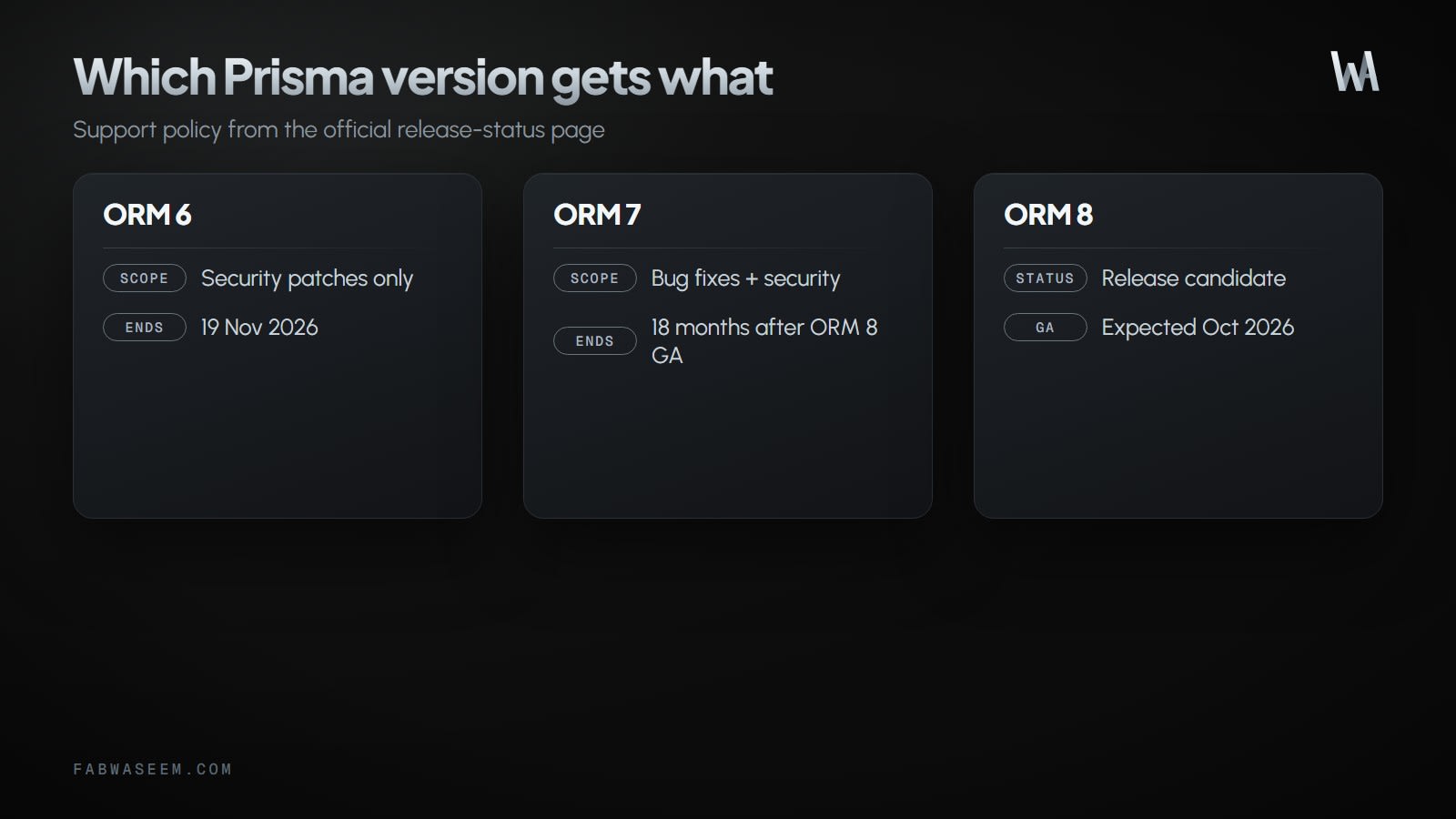
ORM 7 shipped as v7.0.0 on 19 November 2025, which is where the 12-month window for ORM 6 comes from.
One trap before you start: the npm latest tag for prisma points at the ORM 8 release candidate, and ORM 7 sits under prisma@prev. Always install with an explicit @7, never a bare npm install prisma. If ORM 8 is where you are heading, my Prisma 8 guide covers that path; on PostgreSQL, Prisma's docs say a v6 app can go straight to 8 without stopping at 7.
MongoDB users: Prisma ORM 7 does not support MongoDB. The official guide says to stay on v6 for now, and Prisma publishes a separate v6 to 8 MongoDB guide.
What changes from Prisma 6 to 7?#
Step 1: Check Node.js and TypeScript#
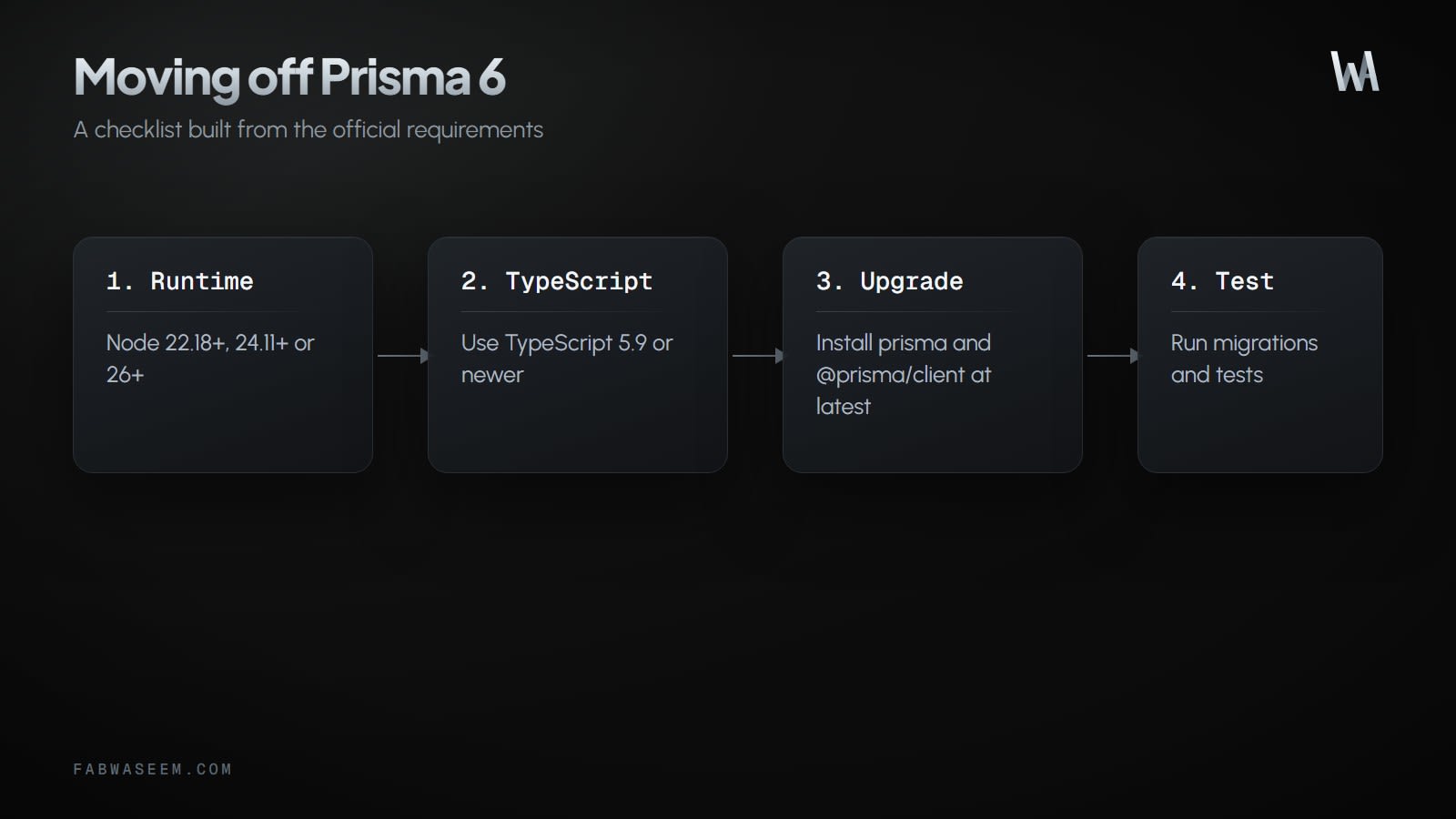
Prisma ORM 7 needs at least Node.js 20.19.0 and TypeScript 5.4.0. The guide recommends Node.js 22 and TypeScript 5.9. If you plan to move to ORM 8 later, its requirements are higher (Node.js 22.18+, 24.11+ or 26+ and TypeScript 5.9+), so landing on Node 22 or 24 now saves a second runtime upgrade. My Node 24 vs Node 26 comparison helps pick one.
node --version   # v20.19.0 or newer
npx tsc --version  # 5.4.0 or newer
Step 2: Install Prisma 7 packages#
Upgrade the CLI and the client together, plus the driver adapter for your database and dotenv:
npm install @prisma/client@7 dotenv
npm install -D prisma@7

# PostgreSQL
npm install @prisma/adapter-pg@7
# or SQLite
npm install @prisma/adapter-better-sqlite3@7
pnpm add @prisma/client@7 dotenv
pnpm add -D prisma@7
# PostgreSQL
pnpm add @prisma/adapter-pg@7
# or SQLite
pnpm add @prisma/adapter-better-sqlite3@7yarn add @prisma/client@7 dotenv
yarn add -D prisma@7
# PostgreSQL
yarn add @prisma/adapter-pg@7
# or SQLite
yarn add @prisma/adapter-better-sqlite3@7bun add @prisma/client@7 dotenv
bun add -d prisma@7
# PostgreSQL
bun add @prisma/adapter-pg@7
# or SQLite
bun add @prisma/adapter-better-sqlite3@7On pnpm 10 or later, approve the better-sqlite3 build script, or the SQLite adapter has no native binding.
Step 3: Switch the project to ESM#
Prisma ORM 7 ships as an ES module. Set the module type in package.json:
{
  "type": "module"
}
And make TypeScript resolve modules the way the generated client expects:
{
  "compilerOptions": {
    "module": "ESNext",
    "moduleResolution": "bundler",
    "target": "ES2023",
    "strict": true,
    "esModuleInterop": true
  }
}
This is usually the biggest change in an older Node project. Any require() calls and __dirname uses in your own code need converting too.
Step 4: Update the generator block#
Replace prisma-client-js with prisma-client and give it an output path. The client is no longer generated into node_modules.
// Before (Prisma 6)
generator client {
  provider = "prisma-client-js"
}

// After (Prisma 7)
generator client {
  provider = "prisma-client"
  output   = "../src/generated/prisma"
}
Only output is required. runtime, moduleFormat, generatedFileExtension and importFileExtension are optional and inferred from your environment and tsconfig.json. If you run with tsx and see Cannot find module './internal/class.js', Prisma's generator docs suggest adding importFileExtension = "ts".
Remove url, directUrl and shadowDatabaseUrl from the datasource block; they move to the config file in the next step. Add the output folder to .gitignore if you regenerate in CI.
Step 5: Create prisma.config.ts#
prisma.config.ts is now where the CLI reads the database URL, schema path, migrations folder and seed command. Put it at the project root, next to package.json:
import "dotenv/config";
import { defineConfig, env } from "prisma/config";

export default defineConfig({
  schema: "prisma/schema.prisma",
  migrations: {
    path: "prisma/migrations",
    seed: "tsx prisma/seed.ts",
  },
  datasource: {
    url: env("DATABASE_URL"),
    // shadowDatabaseUrl: env("SHADOW_DATABASE_URL"),
  },
});
If you used directUrl for migrations behind a pooler, pass that direct connection string as url here. The CLI uses url for migrations; your app's pooled URL goes to the adapter in the next step.
The import "dotenv/config" line matters: Prisma 7 no longer loads .env files on its own. Bun loads them automatically, so Bun projects can skip it.
Step 6: Create the client with a driver adapter#
Every database now needs a driver adapter, and the datasources / datasourceUrl constructor options are gone.
// Before (Prisma 6)
import { PrismaClient } from "@prisma/client";
export const prisma = new PrismaClient({
  datasourceUrl: process.env.DATABASE_URL,
});// After (Prisma 7, PostgreSQL)
import { PrismaClient } from "./generated/prisma/client";
import { PrismaPg } from "@prisma/adapter-pg";
const adapter = new PrismaPg({
connectionString: process.env.DATABASE_URL,
});
export const prisma = new PrismaClient({ adapter });// After (Prisma 7, SQLite)
import { PrismaClient } from "./generated/prisma/client";
import { PrismaBetterSqlite3 } from "@prisma/adapter-better-sqlite3";
const adapter = new PrismaBetterSqlite3({
url: process.env.DATABASE_URL || "file:./dev.db",
});
export const prisma = new PrismaClient({ adapter });Then find and replace every from "@prisma/client" import. Generated types such as Prisma, model types and enums now come from your output path as well:
grep -rn "@prisma/client" src/Step 7: Generate, migrate and seed explicitly#
prisma migrate dev and prisma db push no longer run prisma generate, and migrate dev / migrate reset no longer run your seed. Chain them yourself:
npx prisma generate
npx prisma migrate dev
npx prisma db seed
Update package.json scripts, CI jobs and Dockerfiles the same way. A build that used to rely on migrate deploy or postinstall to generate the client needs an explicit prisma generate step.
Breaking changes and how to fix each#
Middleware (prisma.$use) is removed#
Rewrite middleware as a query extension:
// Prisma 6
prisma.$use(async (params, next) => {
  return next(params);
});

// Prisma 7
const prisma = new PrismaClient({ adapter }).$extends({
  query: {
    user: {
      async findMany({ args, query }) {
        return query(args);
      },
    },
  },
});
Use $allModels and $allOperations inside query for middleware that ran on every call, such as logging or soft-delete filters.
Metrics are removed#
$metrics was deprecated in 6.14.0 and removed in 7.0.0. Count queries in a Client Extension, or read pool statistics from the driver (pg.Pool exposes totalCount, idleCount and waitingCount).
Connection timeouts behave differently#
The adapter uses the Node.js driver's pool settings, not Prisma 6's. For example, pg has no connection timeout by default, where Prisma 6 used 5 seconds. If requests hang or time out differently after the upgrade, set the pool options on the adapter to match what you had.
SSL errors: P1010 after upgrading#
Prisma 7 connects through node-pg, which validates certificates. Prisma 6's Rust engine ignored invalid ones, so a database with a self-signed certificate can start failing with:
Error: P1010: User was denied access on the database <database>The right fix is to trust the certificate with NODE_EXTRA_CA_CERTS or node --use-openssl-ca. To restore the old behaviour while you sort that out:
const adapter = new PrismaPg({
  connectionString: process.env.DATABASE_URL,
  ssl: { rejectUnauthorized: false },
});
Removed CLI flags#
Removed environment variables#
Engine-related variables no longer do anything: PRISMA_CLI_QUERY_ENGINE_TYPE, PRISMA_CLIENT_ENGINE_TYPE, PRISMA_QUERY_ENGINE_BINARY, PRISMA_QUERY_ENGINE_LIBRARY, PRISMA_GENERATE_SKIP_AUTOINSTALL, PRISMA_SKIP_POSTINSTALL_GENERATE, PRISMA_GENERATE_IN_POSTINSTALL, PRISMA_GENERATE_DATAPROXY, PRISMA_GENERATE_NO_ENGINE, PRISMA_CLIENT_NO_RETRY, PRISMA_MIGRATE_SKIP_GENERATE and PRISMA_MIGRATE_SKIP_SEED. Remove them from Dockerfiles and CI so nobody assumes they still apply.
Mapped enums#
An early v7 change made generated enums use @map values; Prisma reverted it. Generated enums use the schema names, as in v6, so SuggestionStatus.PENDING is still "PENDING". No change is needed.
Prisma Accelerate#
Standalone Accelerate and prisma+postgres://accelerate.prisma-data.net connections retire on 1 December 2026. Do not pass an Accelerate URL to PrismaPg; it expects a direct connection string. If you must upgrade before leaving Accelerate, create the client with accelerateUrl and withAccelerate() and no adapter, then follow Prisma's switch-over guide for your database before December.
How do I verify the upgrade?#
Apply the schema to a throwaway database and run your test suite against it. For PostgreSQL, the official guide uses create-db, which creates a temporary Prisma Postgres database without an account:
TEST_DATABASE_URL="$(npx -y create-db@latest --quiet)" &&
npx prisma db push --url "${TEST_DATABASE_URL:?}" &&
DATABASE_URL="$TEST_DATABASE_URL" npm test
--url needs Prisma 7.2.0 or later, and db push builds tables from the schema without running prisma/migrations. Before production, also run prisma migrate deploy against a staging copy of the real database so the migration history is exercised, not just the schema.
Prisma 6 to 7 upgrade checklist#
- Confirm Node.js 20.19+ (22 recommended) and TypeScript 5.4+.
- Install
prisma@7,@prisma/client@7, the driver adapter anddotenv. Never install a bareprisma. - Set
"type": "module"and updatetsconfig.json. - Change the generator to
prisma-clientwith anoutputpath. - Move
url,directUrlandshadowDatabaseUrlintoprisma.config.ts, withimport "dotenv/config". - Create
PrismaClientwith a driver adapter and replace every@prisma/clientimport. - Replace
$usemiddleware with$extendsand remove$metrics. - Add explicit
prisma generateandprisma db seedsteps to scripts, CI and Dockerfiles. - Replace removed CLI flags and environment variables.
- Check SSL and pool timeouts against your production database.
- Run tests on a throwaway database, then
migrate deployon staging, then production. - Leave Accelerate before 1 December 2026 if you use it.
Does anything stop working on 19 November?#
No. Installed ORM 6 versions keep running. What ends is maintenance: a vulnerability found after 19 November will not get a fix in the 6 line. For an API that handles user data, that is reason enough to upgrade now rather than after the next advisory. My secure NestJS and Prisma API starter shows the kind of setup that benefits from staying on supported releases, and Drizzle vs Prisma covers the alternative if you are reconsidering the ORM altogether.
Sources: Prisma upgrade guide to v7, Prisma release status, Prisma generators reference and the Prisma changelog.
Questions
Share this guide
Comments
No comments yet. Questions, corrections and your own results are all welcome.
Be kind and stay on topic. No name needed: leave it blank and you post under an anonymous name that stays yours. Links get
nofollow; spam is removed. Your email is never shown and is only used for reply notifications you ask for. Privacy