PostgreSQL 14 End of Life on November 12, 2026: What to Do Now
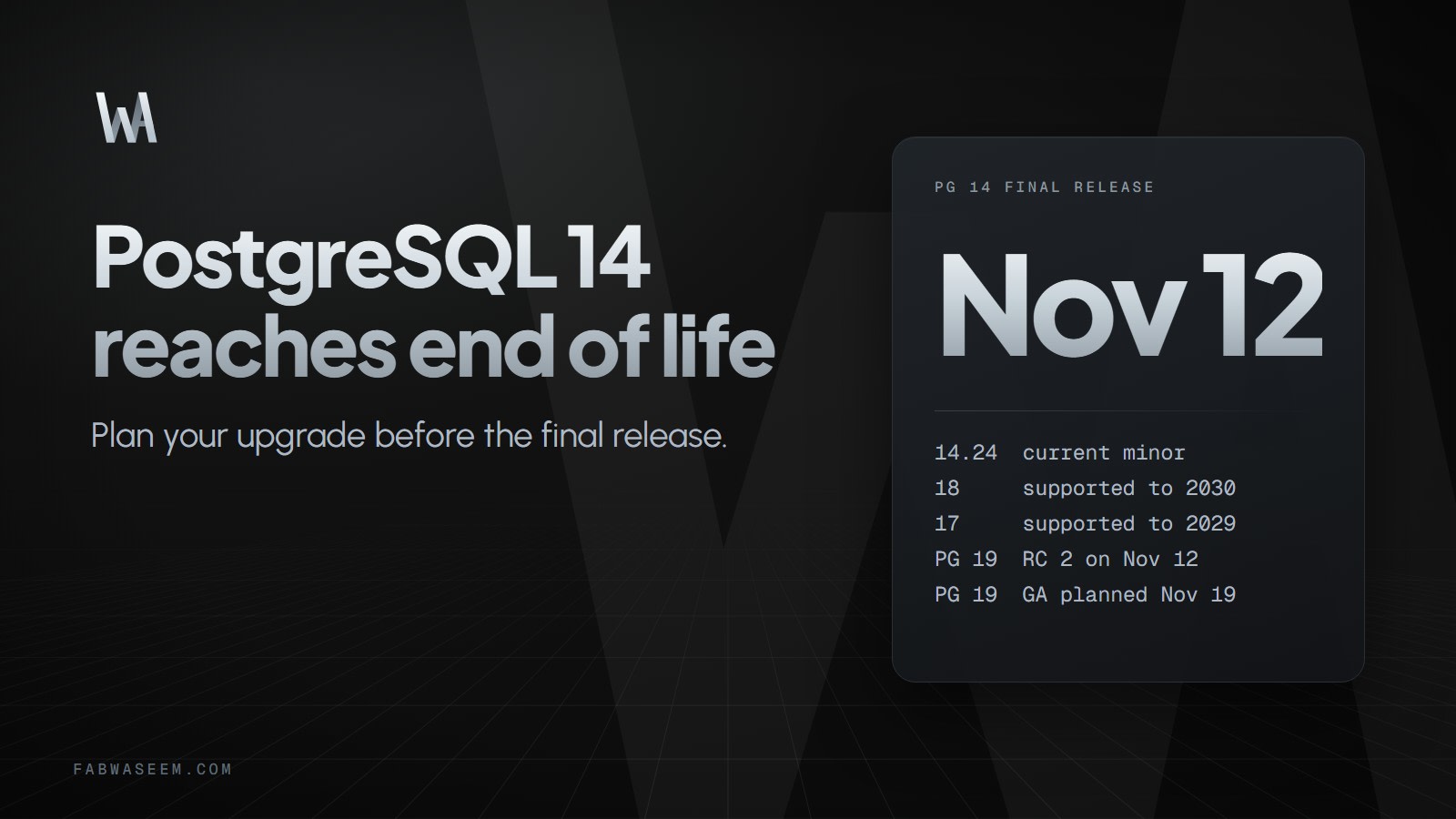
PostgreSQL 14 gets its final release on November 12, 2026. Here is what end of life means, which versions to move to, and the pg_upgrade steps from the official docs.

On this page
PostgreSQL 14 is about to get its last release. The official versioning page lists November 12, 2026 as the final release date for version 14, so if you still run it, this is the week to plan your move. The steps below follow the official PostgreSQL documentation (listed at the end).
What does end of life mean for PostgreSQL 14?#
The PostgreSQL project supports each major version for five years after its first release, then ships a final minor release and the version becomes end of life. Version 14 was first released on September 30, 2021. After the final release, the community stops releasing updates for the 14.x series: no more bug fixes, no more security fixes.
The versioning page listed 14.24 as the current minor before the final release. The final minor on November 12 will be a newer number, so check the release announcement for the exact version.
Your database does not stop working on that day. The risk is that a new vulnerability or data corruption bug in 14 will simply not get a fix from the community.
Which PostgreSQL versions are supported right now?#
This is the table from the official versioning page:
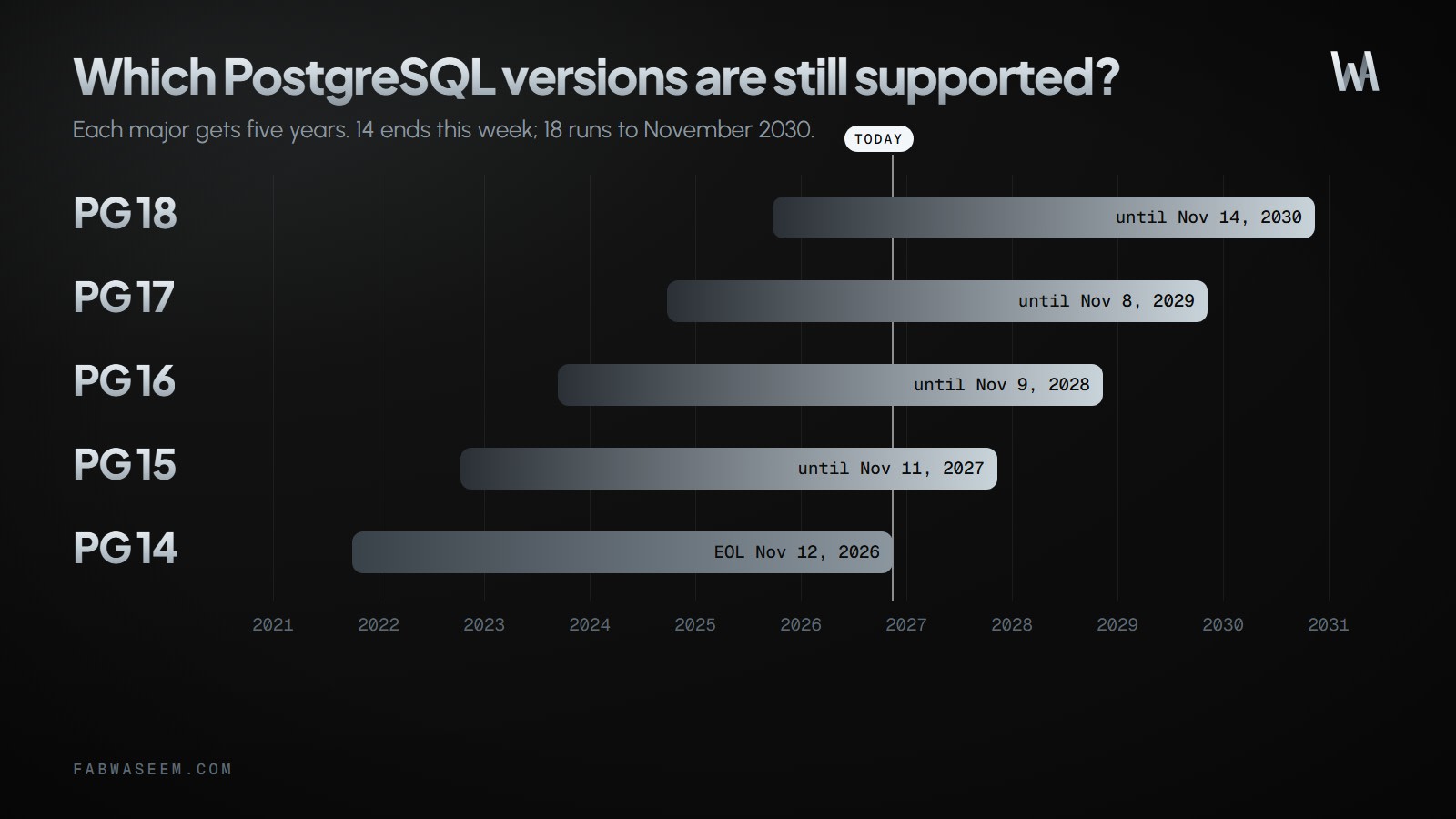
Minor numbers move with every update release, so check the versioning page again when you plan the upgrade.
Moving to 15 only buys you one more year. If you are doing a major upgrade anyway, pick the newest major you are comfortable running.
What about PostgreSQL 19?#
The PostgreSQL 19 RC 1 announcement (October 15, 2026) says RC 2 is planned for November 12, 2026, the same day as the scheduled update release for supported versions. General availability is planned for November 19, 2026, unless an issue requires a delay or an additional release candidate.
The announcement lists fixes made since Beta 4 in areas such as REPACK (CONCURRENTLY), pg_plan_advice, parallel autovacuum and postgres_fdw statistics import. It does not declare breaking changes, but it does note one behavior change: COPY (query) TO ... (FORMAT json) now uses the query's column names, including aliases, as JSON keys. If you parse that output, check it.
Until GA ships, 19 is a release candidate. I would test on it, not move production to it.
How does a major upgrade work?#
Per the versioning page, major upgrades require a dump and reload or pg_upgrade, because the data directory cannot be kept backward compatible. Minor updates are different: stop the server, install the new binaries, restart.
pg_upgrade has three ways to move files, per its documentation:
The docs list --clone as supported on Linux (kernel 4.5+) with Btrfs and XFS, and on macOS with APFS. --jobs sets the number of simultaneous connections and processes, and the docs suggest the number of CPU cores as a starting point.
What are the pg_upgrade steps?#
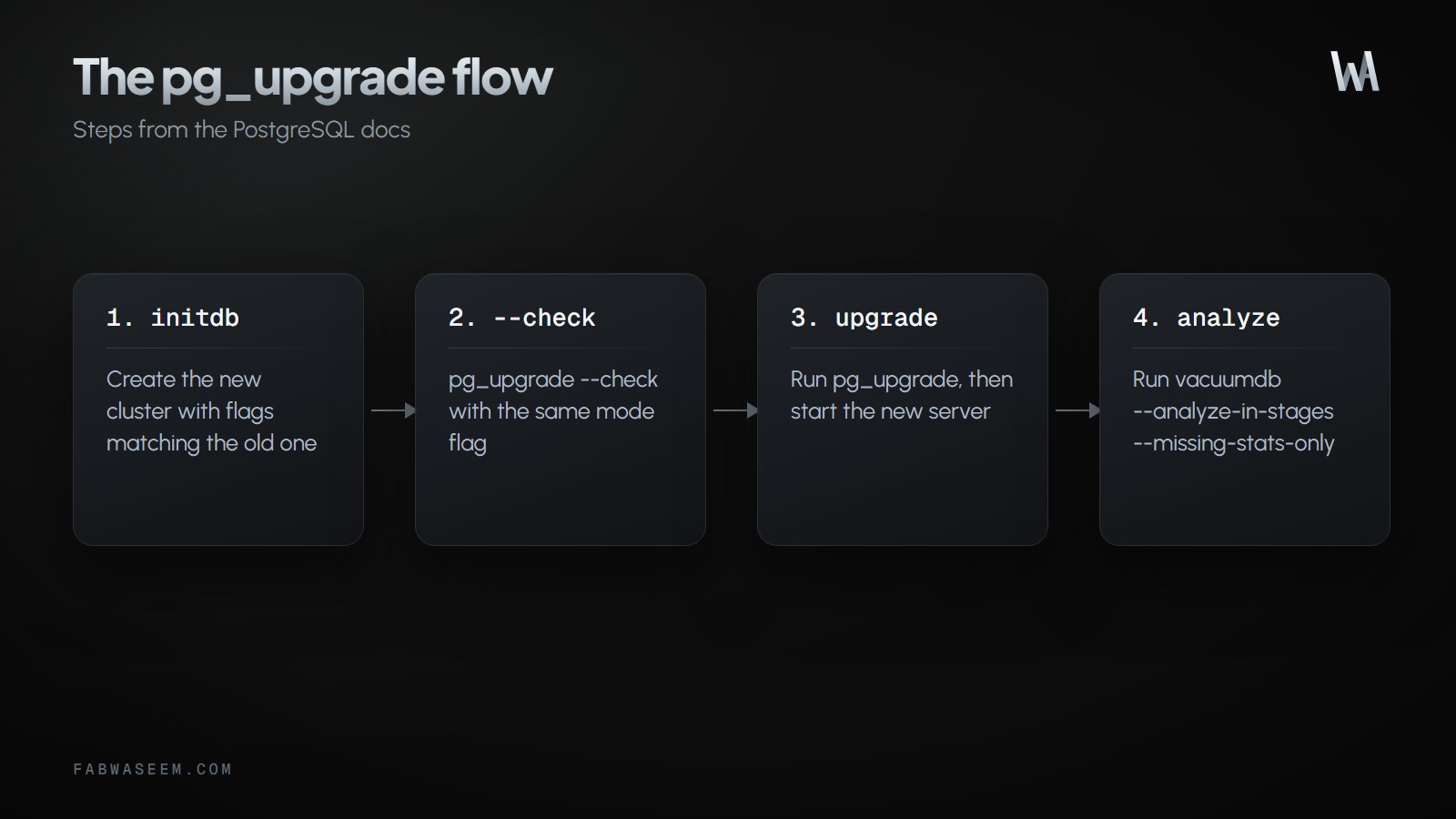
The documented flow, in short:
- Install the new binaries and run
initdbfor the new cluster with flags that match the old one. Do not start it. - Install the shared object files for your extensions on the new server. Do not run
CREATE EXTENSION, because the schema comes across from the old cluster. - Stop both servers.
- Run the check, then the real upgrade.
# paths are examples; adjust to your install
pg_upgrade --check --link \
  --old-datadir=/opt/PostgreSQL/14/data --new-datadir=/opt/PostgreSQL/18/data \
  --old-bindir=/opt/PostgreSQL/14/bin  --new-bindir=/opt/PostgreSQL/18/bin

pg_upgrade --link --jobs=8 \
  --old-datadir=/opt/PostgreSQL/14/data --new-datadir=/opt/PostgreSQL/18/data \
  --old-bindir=/opt/PostgreSQL/14/bin  --new-bindir=/opt/PostgreSQL/18/bin
The docs say --check makes no changes and can run while the old server is still up, and that you should pass the same mode flag you plan to use. The default port is 50432, and the old and new ports must differ for --check while the old server is running.
What do you do after the upgrade?#
Start the new server, then run any scripts pg_upgrade generated (for example to update extensions or rebuild objects). Then regenerate statistics:
vacuumdb --all --analyze-in-stages --missing-stats-only
vacuumdb --all --analyze-only
The docs explain why: unless you pass --no-statistics, pg_upgrade transfers most optimizer statistics, but not those created with CREATE STATISTICS, custom extension statistics or the cumulative statistics system. Skipping this step can leave the planner with gaps.
Delete the old cluster only after you are satisfied, using the script pg_upgrade generates.
What else should you check before the cutover?#
- Extensions: make sure each has a build for the target major, on every new standby too.
- Application code: if you adopt a new identifier strategy while you are at it, see UUIDv7 in Postgres.
- Search and JSON workloads: compare options in Postgres full-text search vs Elasticsearch and MongoDB vs Postgres JSONB.
- ORM: if you use Prisma, check the notes in Prisma 8 against your target Postgres version.
- Rollback: with
--link, the old cluster is not safe to start once the new one has run, so take a backup first. This follows from how hard links work; confirm the details in the pg_upgrade docs.
Key takeaways#
- PostgreSQL 14's final release is scheduled for November 12, 2026, and no fixes ship for it afterwards.
- Versions 15 to 18 are supported until November 2027, 2028, 2029 and 2030.
- Major upgrades need
pg_upgradeor dump/restore; minor updates are drop-in. - Run
pg_upgrade --checkwith your intended mode flag first. - Re-run
vacuumdbafter the upgrade, because not all statistics transfer. - PostgreSQL 19 GA is planned for November 19, 2026, and could slip.
Sources#
Questions
Share this guide
Comments
No comments yet. Questions, corrections and your own results are all welcome.
Be kind and stay on topic. No name needed: leave it blank and you post under an anonymous name that stays yours. Links get
nofollow; spam is removed. Your email is never shown and is only used for reply notifications you ask for. Privacy