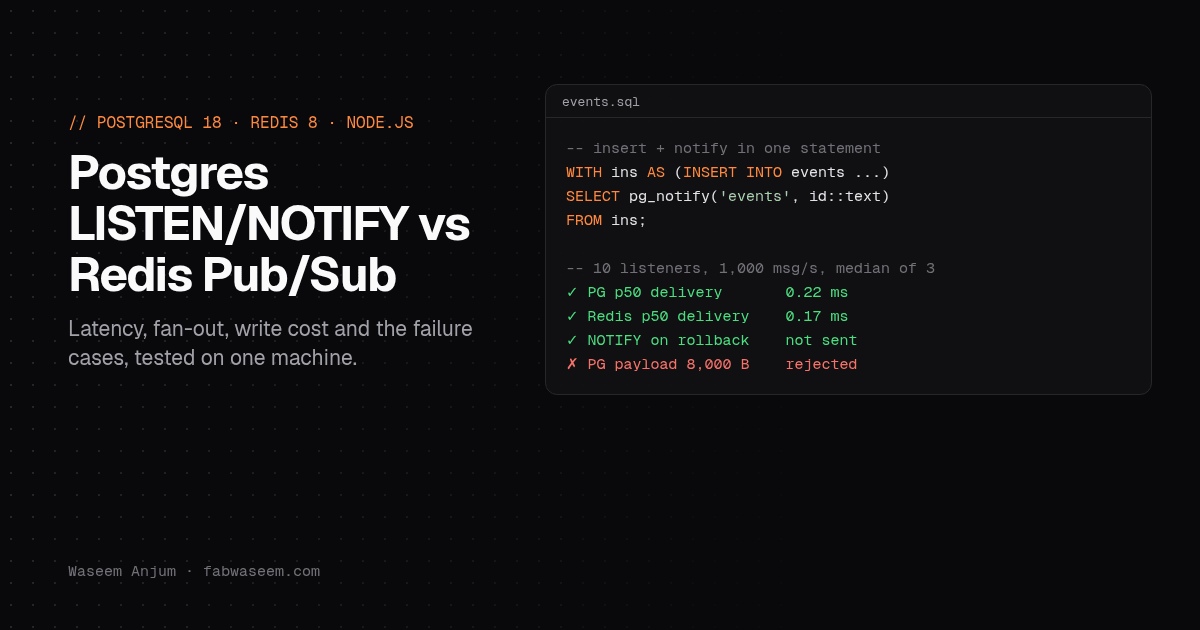
Postgres LISTEN/NOTIFY vs Redis Pub/Sub: Latency, Write Cost and Failure Cases, Tested
I measured PostgreSQL 18 LISTEN/NOTIFY against Redis 8 Pub/Sub for delivery latency, fan-out and the cost to the writing transaction, then checked rollbacks, payload limits and disconnects, with a tested Node.js SSE pattern.

On this page
If you already run Postgres, you can push realtime events to your app without adding Redis: NOTIFY sends a message on commit, and every connection that ran LISTEN gets it. I measured Postgres 18 LISTEN/NOTIFY against Redis 8 Pub/Sub for delivery latency, fan-out, and the cost to the transactions that send the events. I also checked what each one does when a message is too big, when a transaction rolls back, and when a listener disconnects. The short answer: Postgres is fast enough for most realtime features, and it's the safer choice when the event describes a database write. Redis has steadier tail latency under load.
What I tested#
Everything ran on one 8 vCPU / 16 GB Linux VM on October 30, 2026: PostgreSQL 18.6 (fsync and synchronous_commit on, shared_buffers=512MB), Redis 8.0.2 with persistence off, Node.js 22.20, pg 8.23.1 and ioredis 6.0.0. Subscribers ran in separate Node processes. Publishers sent 100-byte JSON messages with a timestamp, and subscribers measured the time until the message arrived. Each fan-out test ran 10 seconds, and I report the median of 3 runs.
This is one machine with client and server on localhost, so the numbers show how the two compare, not what you'll see across a network.
Delivery latency and fan-out#
Neither lost a message in any run. The typical (p50) delivery time is under a millisecond for both. The difference is in the tail: as the message rate or listener count goes up, Postgres p99 climbs faster, and it spikes more between runs. With 10 listeners at 10,000 messages a second, Postgres p99 ranged from 5.8 ms to 79.6 ms across the three runs, while Redis stayed between 0.9 and 2.2 ms. One Postgres run at 25,000 messages a second hit a 113.7 ms p99.
For chat messages, notifications, dashboard refreshes and "your export is ready" events, a few milliseconds at p99 doesn't matter. For a high-rate stream where tail latency matters, Redis is the steadier option.
What NOTIFY costs the writer#
Latency is only half of it. The bigger question is what happens to the transactions that send the events. I ran 16 and 64 clients, each doing BEGIN, an INSERT into an events table, and COMMIT, for 10 seconds:
The ranges are separate 10-second runs, with and without a listener connected. These runs were noisy, so read them as a band, not exact figures. Sending a notification in the transaction cost roughly 20 to 45% of commit throughput in my runs. Committing a transaction that sent a NOTIFY adds its messages to a single shared queue, and Postgres holds a database-wide lock while it does that so notifications stay in commit order. The commits that notify take turns.
Publishing to Redis after the commit costs the database much less, because Postgres does nothing extra. But you get that speed by giving up the guarantee in the next section.
Behavior checks: where they really differ#
I scripted each of these against both systems. Here's what I found:
Three of these matter in practice.
NOTIFY is transactional. If the insert rolls back, nobody hears about it. With Redis you either publish before the commit and risk announcing a write that never happened, or publish after it and risk losing the event if the process crashes between COMMIT and PUBLISH. For "this row changed" events, Postgres gets this right without extra code.
Both are fire-and-forget. A listener that is disconnected misses everything sent while it was gone. Neither system queues messages for you. If you need delivery guarantees, use a job queue or Redis Streams. I compared Postgres job queues with BullMQ separately.
Postgres collapses duplicates in a transaction. If you send the same channel and payload twice in one transaction, listeners get it once. That's good for "something changed, refetch" signals and surprising if you use NOTIFY as a counter.
The pattern I use: NOTIFY as a doorbell, the table as the truth#
Because notifications can be missed and payloads are capped below 8,000 bytes, I don't put the data in the notification. I write the event to a table, send only the row id in the NOTIFY, and let the server read the row. A reconnecting client catches up from the table using the last id it saw. Here's the whole thing with Node's built-in HTTP server and Server-Sent Events, one LISTEN connection per process, fanned out to browsers by room:
// server.mjs: one LISTEN connection per Node process, fanned out to many SSE clients.
// The events table is the source of truth; NOTIFY is only the doorbell.
import http from 'node:http';
import pg from 'pg';

const cfg = { connectionString: process.env.DATABASE_URL };
const pool = new pg.Pool(cfg);
const rooms = new Map(); // room -> Set<{ res, lastId }>

function send(client, row) {
  const id = Number(row.id); // bigserial comes back from pg as a string: compare numbers, not strings
  if (id <= client.lastId) return; // already sent (backfill + notify can overlap)
  client.res.write(`id: ${id}\ndata: ${JSON.stringify(row)}\n\n`);
  client.lastId = id;
}

async function backfill(room, client) {
  const { rows } = await pool.query(
    'SELECT id, room, body FROM events WHERE room = $1 AND id > $2 ORDER BY id LIMIT 500',
    [room, client.lastId],
  );
  for (const row of rows) send(client, row);
}

async function listen() {
  const listener = new pg.Client(cfg);
  let chain = Promise.resolve(); // handle notifications one at a time so ids stay in order
  listener.on('notification', ({ payload }) => {
    chain = chain.then(async () => {
      const { id, room } = JSON.parse(payload); // payload stays tiny: ids only (8000-byte limit)
      const subs = rooms.get(room);
      if (!subs?.size) return;
      const { rows } = await pool.query('SELECT id, room, body FROM events WHERE id = $1', [id]);
      if (rows[0]) for (const c of subs) send(c, rows[0]);
    }).catch(console.error);
  });
  listener.on('error', (err) => console.error('listener error:', err.message));
  listener.on('end', () => {
    // Notifications sent while we're disconnected are gone. Reconnect, then backfill from the table.
    setTimeout(() => listen().catch(console.error), 500);
  });
  await listener.connect();
  await listener.query('LISTEN events');
  for (const [room, subs] of rooms) for (const c of subs) await backfill(room, c);
}

http.createServer(async (req, res) => {
  const url = new URL(req.url, 'http://x');
  if (url.pathname === '/events') {
    const room = Number(url.searchParams.get('room'));
    const client = { res, lastId: Number(req.headers['last-event-id'] ?? 0) };
    res.writeHead(200, { 'content-type': 'text/event-stream', 'cache-control': 'no-cache', connection: 'keep-alive' });
    res.write(': connected\n\n');
    if (!rooms.has(room)) rooms.set(room, new Set());
    rooms.get(room).add(client);
    req.on('close', () => rooms.get(room)?.delete(client));
    await backfill(room, client); // catch up after a browser reconnect (Last-Event-ID)
    return;
  }
  if (req.method === 'POST' && url.pathname === '/messages') {
    let raw = ''; for await (const chunk of req) raw += chunk;
    const { room, text } = JSON.parse(raw);
    // INSERT and NOTIFY in one statement: the notification is sent only if the row commits
    const { rows } = await pool.query(
      `WITH ins AS (INSERT INTO events (room, body) VALUES ($1, $2) RETURNING id, room)
       SELECT id, pg_notify('events', json_build_object('id', id, 'room', room)::text) FROM ins`,
      [room, { text }],
    );
    res.writeHead(201, { 'content-type': 'application/json' }).end(JSON.stringify({ id: rows[0].id }));
    return;
  }
  res.writeHead(404).end();
}).listen(process.env.PORT ?? 3400, () => listen().catch(console.error));
The table is CREATE TABLE events (id bigserial primary key, room int not null, body jsonb not null).
I tested it with a script that opens three SSE clients (two in room 1, one in room 2), posts 10 messages, then kills the server's LISTEN connection with pg_terminate_backend and posts 3 more while it's down. Results on PostgreSQL 18.6:
- Each room-1 client got its 5 messages, and the room-2 client got only room-2 messages.
- After the listener was killed, the server reconnected and the backfill delivered all 3 "gap" messages, with 0 duplicates.
- A browser reconnecting with
Last-Event-IDgot exactly the 3 messages it had missed.
The bug the test caught. My first version compared row.id <= client.lastId directly. pg returns bigint and bigserial columns as strings, because they can be larger than JavaScript numbers can hold exactly. Once ids reached two digits, "10" <= "8" was true as a string comparison. The room-2 client silently dropped its 5th message, and the backfill after the reconnect sent nothing. Converting with Number() fixed both. If your ids may go past 2^53, compare BigInts instead.
Production notes#
- Use a direct connection for LISTEN. PgBouncer in transaction pooling mode doesn't support
LISTEN, because your session isn't kept between transactions. Keep one dedicated connection per app instance for listening and use the pool for everything else. - Never sit in an open transaction on the listening connection. Notifications are delivered between transactions. A listener that stays inside a transaction holds the shared queue for everyone, and the queue is 8 GB by default. Watch
SELECT pg_notification_queue_usage(). - Send ids, not data. The payload limit is just under 8,000 bytes, and a small payload keeps the queue small.
- Plan for missed messages. Both Postgres and Redis drop messages for anyone who isn't connected. Backfill from a table, or use a queue when every event must be processed.
- Watch notify-heavy write paths. If one table does thousands of commits a second, test the throughput cost above on your own hardware before adding a trigger that notifies on every row.
Which one should you use?#
Use Postgres LISTEN/NOTIFY when the events come from your own database writes: new chat messages, order status changes, "this job finished", cache invalidation. You get transactional delivery and no extra service to run. That's how I'd add realtime updates to a NestJS app with Server-Sent Events that already uses Postgres.
Use Redis Pub/Sub when you need steadier latency at high message rates, payloads above 8 KB, or events that don't come from a database write, like presence, typing indicators or live cursors. If you already run Redis for BullMQ job queues, adding Pub/Sub costs nothing extra.
Use neither when every message must be processed. That's a job queue or a stream.
Questions
Share