Run TypeScript in Node.js Without a Build Step: Type Stripping Tested on Node 22, 24 and 26
node app.ts works on Node 22.18+, 24 and 26 with no flags. I tested what runs, what fails with which error, the tsconfig that catches it, and startup time against tsx.

On this page
You can now run a .ts file with plain node app.ts, no tsx, no ts-node, no build step. Type stripping has been on by default since Node.js 22.18.0 and 23.6.0, and it became stable in Node.js 24.12.0 and 25.2.0. On Node.js 26 LTS it is simply how Node works.
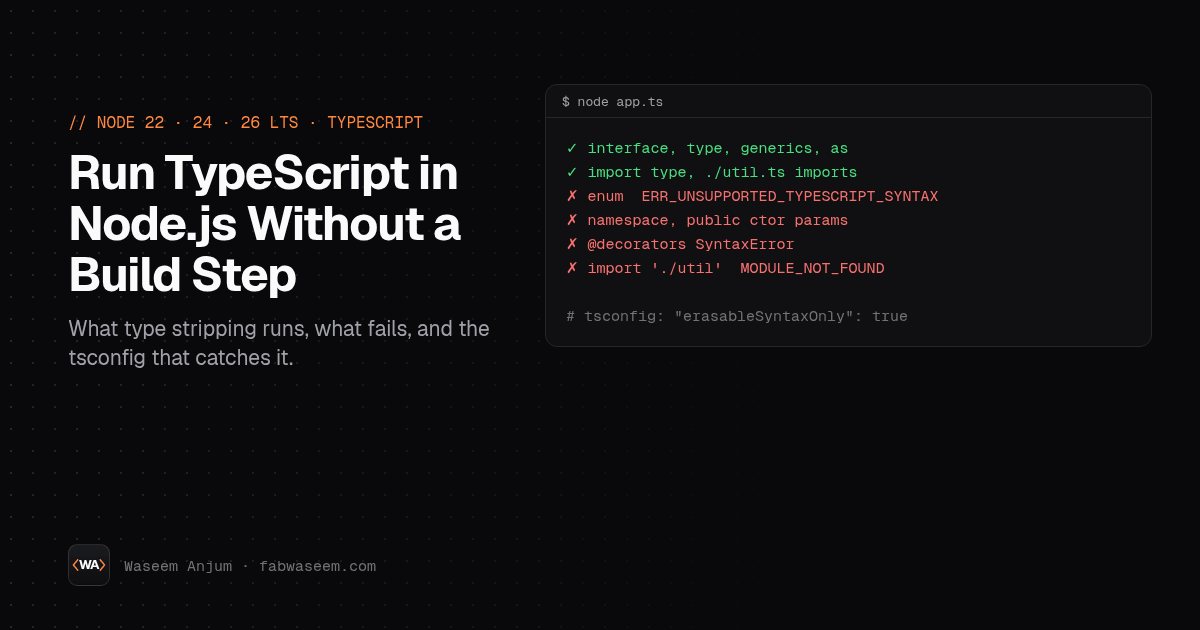
But "Node runs TypeScript" has sharp edges. Enums fail. Parameter properties fail. Decorators fail. Imports without .ts fail. And Node never checks your types. I tested every one of these on Node.js 22.20.0, 24.22.2 and 26.13.0, and this post shows the exact errors, the tsconfig.json that catches all of them before runtime, and how startup time compares to tsx and precompiled JavaScript.
How Node.js type stripping works#
Node replaces TypeScript type annotations with whitespace and runs what is left as JavaScript. It does not type-check, it ignores tsconfig.json, and it only accepts erasable syntax: TypeScript that disappears completely when you delete the types.
From the Node.js TypeScript docs history table:
You can check it at runtime: node -p "process.features.typescript" printed strip on all three versions I tested.
What works out of the box#
This file ran unchanged with node ok.ts on Node 22.20, 24.22 and 26.13:
// ok.ts
interface User { id: number; name: string }
type Role = 'admin' | 'user';
import type { Stats } from 'node:fs';
import { greet } from './util.ts';

const u: User = { id: 1, name: 'Waseem' };
const role: Role = 'admin';
function size<T>(xs: T[]): number { return xs.length; }
const s = undefined as Stats | undefined;

console.log(greet(u.name), role, size([1, 2, 3]), s);
// hi Waseem admin 3 undefined
Interfaces, type aliases, generics, as casts, import type and annotated functions are all erasable, so they just work. Add "type": "module" to package.json; without it, Node prints a MODULE_TYPELESS_PACKAGE_JSON warning and reparses the file as ESM.
What fails (tested on Node 22, 24 and 26)#
All three versions gave the same result for every case below.
Three of these surprise people the most:
- Type-only imports must say
import type. Node removes the type but keeps the import statement, so it looks for a runtime export calledUserand crashes. - Decorators don't run. That means NestJS, TypeORM entities and anything with
@Injectable()still needs a compile step or a loader liketsxor SWC. - Packages can't ship raw
.ts. Node refuses to strip types undernode_modules, so libraries still need to publish JavaScript.
--experimental-transform-types is gone in Node 26#
On Node 24, node --experimental-transform-types enum.ts ran the enum (with an ExperimentalWarning). On Node 26.13.0 the same command printed:
node: bad option: --experimental-transform-typesIf you relied on that flag for enums, Node 26 is the point where you have to remove them or go back to a loader.
The tsconfig.json that catches every failure#
Node ignores tsconfig.json, but your editor and tsc don't. With this config, tsc flagged every runtime failure above (except decorators, see below) before I ran anything:
{
  "compilerOptions": {
    "target": "esnext",
    "module": "nodenext",
    "noEmit": true,
    "allowImportingTsExtensions": true,
    "erasableSyntaxOnly": true,
    "verbatimModuleSyntax": true,
    "strict": true,
    "skipLibCheck": true
  }
}
Output from tsc -p . with TypeScript 5.9.3:
enum.ts(1,6): error TS1294: This syntax is not allowed when 'erasableSyntaxOnly' is enabled.
ns.ts(1,11): error TS1294: This syntax is not allowed when 'erasableSyntaxOnly' is enabled.
paramprop.ts(1,23): error TS1294: This syntax is not allowed when 'erasableSyntaxOnly' is enabled.
noext.ts(1,23): error TS2835: Relative import paths need explicit file extensions in ECMAScript imports when '--moduleResolution' is 'node16' or 'nodenext'.
typeimport.ts(1,10): error TS1484: 'User' is a type and must be imported using a type-only import when 'verbatimModuleSyntax' is enabled.
What each option does:
erasableSyntaxOnly(TypeScript 5.8+) errors on enums, namespaces and parameter properties.verbatimModuleSyntaxforcesimport typefor type-only imports.allowImportingTsExtensionslets you write./util.ts, which is what Node needs. It requiresnoEmit(orrewriteRelativeImportExtensionsif you also emit).module: nodenextmakestscrequire file extensions like Node does.
The gap: decorators. TypeScript 5.9 accepts standard decorators, so tsc passed dec.ts, but Node 26 still threw a SyntaxError. If your code uses decorators, keep a build step for that code.
Run tsc --noEmit in CI and in a pre-commit hook. Node won't check types for you.
Replacing enums#
The usual erasable replacement is a const object plus a type:
export const Color = { Red: 0, Green: 1 } as const;
export type Color = (typeof Color)[keyof typeof Color];
Startup time: node vs tsx vs precompiled JS#
Same ok.ts (two small files), Node 26.13.0, 30 interleaved runs each, wall time for the whole process:
Built-in stripping was about half the startup time of tsx, but about 35 ms slower than running precompiled JavaScript on this machine. For scripts, CLIs, dev servers and tests that difference doesn't matter. For a serverless function where cold start counts, shipping compiled JavaScript is still faster.
When to use built-in type stripping#
Use node file.ts for:
- Scripts, seeds, migrations and one-off tools
- CLIs and internal services you control end to end
- Running tests with
node --teston.tsfiles - Dev mode with
node --watch src/server.ts
Keep a build step (tsc, SWC, esbuild or tsx) for:
- NestJS and anything else that uses decorators
- React and
.tsxfiles - Libraries you publish to npm
- Code that relies on
pathsaliases intsconfig.json(Node ignores them) - Serverless functions where cold start matters
If you're upgrading Node at the same time, see Node 24 vs Node 26 for the other breaking changes, and TypeScript 7 for where the TypeScript compiler itself is going.
Questions
Share


